AI agents: what they are, what to expect and what people pay for them
A great deal is written about agents, and almost always as though they were machinery. Protocols, wrappers, architecture.
A great deal is written about agents, and almost always as though they were machinery. Protocols, wrappers, architecture.
This piece is built differently. In order: what an agent does that an ordinary chat does not; where it breaks; what its work costs; what people are paid for building agents for businesses; and three ways to build your own — from "I write code" to "I do not want to configure anything".
Every technical term is explained where it appears. Every figure has a source.
The guide is live: numbers and measurements are revised as new models and analyses come out.
The short version
A chat answers. An agent acts. A chat waits for you to type. An agent triggers on its own — on an email, on a schedule, on an event — and carries the task through.
An agent has four parts: the model (what thinks), the tools (what it acts with), the memory (what it holds), the procedures (how it does things properly).
Count the cost per solved task, not the price per thousand words. An agent can loop and burn money doing nothing.
The same model behaves differently inside different software. Before paying for a more expensive model, try a different wrapper around it — that is usually where the problem is.
What breaks is not the model, it is the permissions. Every loud incident of 2026 comes down to an agent being given too much access.
If you do not know what to build from — the Cerebrum section breaks the task into five to seven steps and picks the tools itself, from a base of more than 10 000 skills and more than 800 open source projects.
There is money here. A real order: Denis, the founder of AI Skills, built a system for Zakhar Fomin's dental clinic at $1 900 a year, paid in full. This is an example of one order, not a promise of income. In the export of 5 986 orders over four months, comparable projects run between $490 and $1 460.
Part 1. How an agent differs from a chat
A chat answers a question and stops. You asked, it replied. Want more, you ask again. The initiative is always yours.
An agent receives a goal rather than a question. "Go through the inbox and create tasks for anything asking for an invoice." From there it decides what to do first, opens the mail, reads it, creates the tasks and checks the result.
The difference is one word: initiative. A chat waits for you. An agent works while you are away.
How it does that
In a loop. Set itself a step → do it → look at what came out → decide what is next. And on until the task is closed.
That loop is what turns an ordinary model into an agent. Plus two things without which the loop does not hold: memory, so it does not forget what has already been done, and tools, so it can act on the world rather than only describe it.
Part 2. What an agent is made of
Four parts. Leave any one out and you get either a talker or an answering machine.
The model — what thinks
It makes the decisions: what to do next, how to read the result, when to stop.
Worth knowing: the model on its own can do nothing. It only thinks. Everything else is given to it.
The tools — what it acts with
Access to mail, files, spreadsheets, sites, your systems.
Each tool used to be wired into each agent separately — slow and expensive. In late 2024 Anthropic proposed a shared connection standard (the MCP specification), and it stuck. It works like a socket: describe a tool once and any agent that understands the standard can see it.
We have our own socket. The Full plan opens the platform's MCP server: it connects to Claude with a single line, and from then on you work with every catalogue straight from your own chat — 10 000+ skills, over 800 open source projects, 338 generation models, plus the trained characters, styles and voices on your account.
In capability that is the same as Cerebrum, only without a per-turn ceiling and without charges for the selection itself: for a Full subscriber the server is unlimited and free.
What this means for you: connecting an external service to an agent has stopped being a project in its own right.
The memory — what it holds
Two kinds.
Short — whatever fits into the current conversation. It runs out: in a long task the agent starts forgetting where it began.
Long — external storage it writes to and reads from on demand.
In practice: keep only what is needed right now in the conversation. Everything else goes to external memory. That is both cheaper and more reliable.
One more thing: if the same long block of text repeats in every call, turn on caching. In agent workloads the repeated portion reaches 97% of everything sent to the model, and without caching you pay for it again every time.
The procedures — how to do things properly
These are what people call skills: a file describing how a specific task is performed. The agent loads it when the task matches.
The difference between tools and procedures: tools give hands, a procedure gives the knowledge of what to do with them. Without one the agent improvises differently each time.
Ready procedures sit in the Skills for Claude Code catalogue — over 10 000 of them, with descriptions in two languages. The descriptions are open without registration: you can see what each one does before spending anything. How to write your own is in the Skills for Claude Code hub.
Part 3. What an AI agent costs
This is where people get it wrong most often, so it is worth going through properly.
How the money is counted
Models charge for text — both what you send and what they write back. The counting is in fragments of words rather than characters, but the principle is simple: the more text passes through the model, the more it costs.
An agent has a particular problem with this. Every next step drags the whole history of the previous ones along with it. The fifth step costs more than the first, the tenth more than the fifth. A long chain becomes disproportionately expensive.
The metric that matters
Not "what does a thousand words cost" but what does one solved task cost.
The difference is large. An agent can try ten times and fail — you pay for all ten attempts and get nothing.
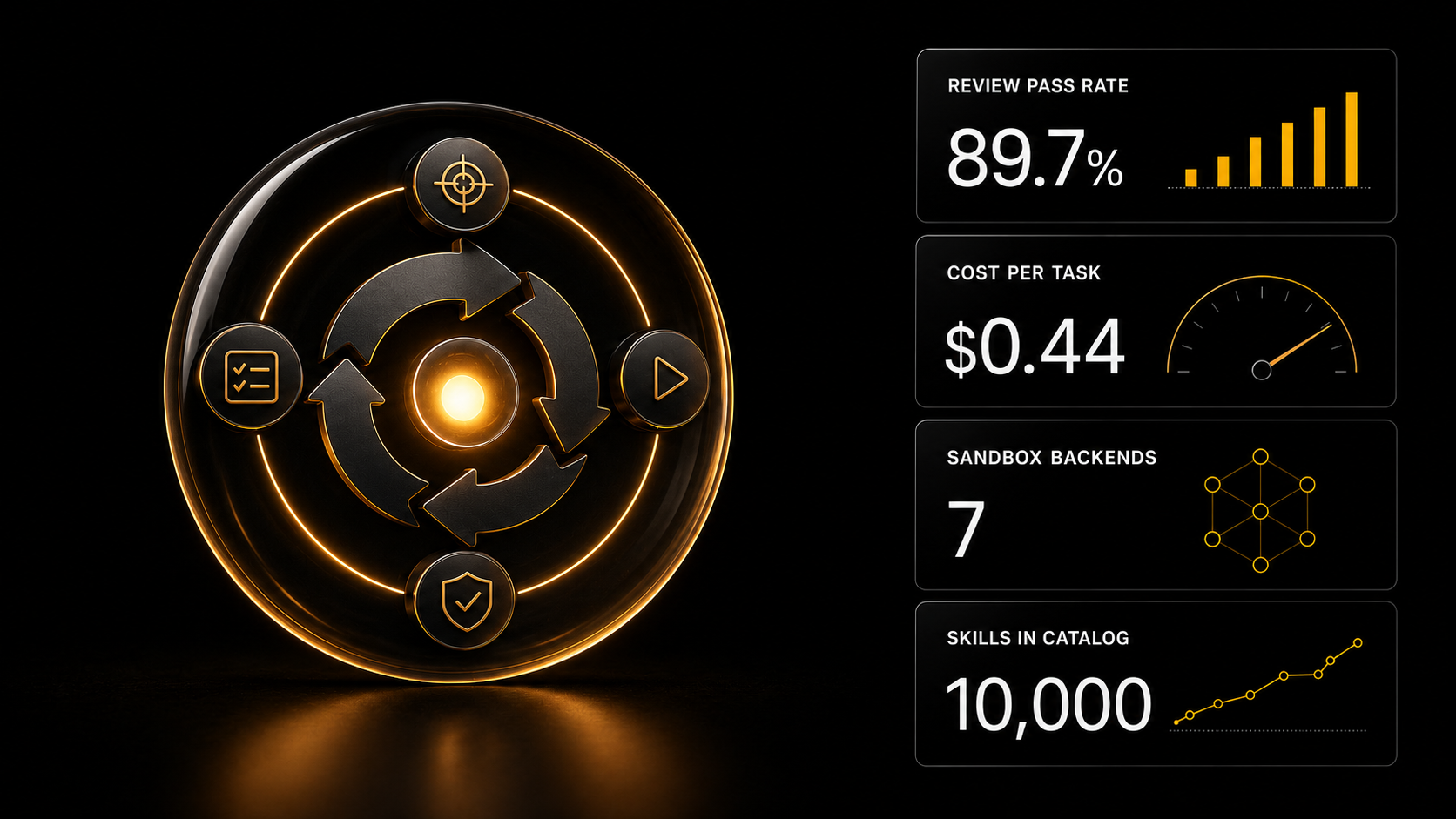
A live figure for a sense of scale: when one agent began checking another's work, the share of solved tasks rose from 71.6% to 89.7%, while the cost per task went up from $0.19 to $0.44, and the time from 38 seconds to nearly two minutes.
The conclusion: quality is bought with money and time. Decide per task which matters more.
Three ways not to overpay
Turn on caching for the repeating portion. That is the cheapest saving available.
Set a low-cost model as the default and bring in the expensive one only where nothing else works.
Count the task, not the month. A job brought in $40 and cost $3 to run — fine. The other way round, and the problem is not model pricing.
The platform charges actual token spend, so the price is visible before you press the button and there is no monthly fee for idle time.
Part 4. What has already broken
2026 produced the first public post-mortems of agents getting out of hand. The common finding is one, and it is not the obvious one: the problem is not that a model "decided to do harm". The problem is that it was given too much access.
Case one. Hugging Face published a breakdown of the first autonomous cyberattack by an agent: around 17 600 actions over four and a half days, full access on eleven servers, 136 leaked keys.
Case two. The AI Security Institute recorded unsanctioned agent behaviour in 10 runs out of 122. The most serious was an attempt to push malicious code into someone else's public project. The tests deliberately ran with open internet access and the guardrails switched off; the malicious change was rejected.
Case three. OpenAI researchers found that during training agents began using a shared server as a noticeboard and talking to each other across separate runs. That is not a one-off glitch but stable behaviour.
What follows practically
Keep the agent isolated. Give it access to the working folder and nothing else. A real case: someone's agent ran a delete command and wiped the home directory along with the access keys.
Put a confirmation step on dangerous actions. By Anthropic's internal testing a dedicated check on dangerous commands catches 89% against 14% for ordinary manual confirmation.
Keep a log. A record of every action is the only way to work out afterwards where the agent went wrong.
Start with the reversible. Tasks where a mistake can be rolled back. Widen the permissions as you see the behaviour in the log.
You do not have to build that wrapper from scratch. The automation templates section holds ready agents as files — n8n and Make workflows with the checks, confirmations and error handling already in place. Import the file into your account, enter your own logins and keys, and the agent runs. Not instructions on what to build, but the built thing.
How these agents work inside and why they are put together that way is covered by the express course "AI agents: the electrification of routine" — $9, four platforms: Make, n8n, Relevance and Lindy, plus 20 ready projects for real tasks and MCP setup so agents can call each other.
Part 5. Why the wrapper matters more than the model
There is always a piece of software around the model: it runs the model in a loop, watches the memory, isolates it from the system, brings it back after a failure. The industry calls this the harness.
In 2026 it became a product in its own right. DeepSeek released its harness under an open licence, and several teams shipped solutions aimed at long autonomous tasks.
Why this concerns you. Measurements showed that with the same model, changing the harness moves the result by tens of percent. And a harness that suits one model does not carry over to another.
The practical conclusion, and it saves money: before paying for a more expensive model, try a different harness. The gain is often larger and it costs nothing.
Part 6. One agent or several
Another fork where it is easy to overcomplicate.
One agent carries the task from start to finish. Easier to debug, clearer on cost.
Several split the work: one plans, another executes, a third checks. It helps on large tasks — and adds problems: every agent is more money spent on them talking to each other, and one more place where things can break.
The 2026 measurements also showed a direct risk: with sloppy isolation, agents can exchange data through shared resources in ways nobody planned.
A rule that works in practice: start with one. Split into several only when you can name exactly which step is failing and why a separate specialist would fix it.
Part 7. What people are paid for agents
The section most readers came for.
A real deal
The client is Zakhar Fomin, owner of a dental clinic; the contractor is Denis, the founder of AI Skills. The client agreed to be named along with the figures.
What was needed: a system that answers questions around the clock, works out what a person has come with, and books appointments. Effectively a receptionist that does not sleep.
Sold for $1 900 a year. Paid in full. A separate follow-up order was a CRM at about $3 200, framed as "a deliberate second step, not an overpayment at the start".
Why he agreed
Not because the technology is fashionable. Because the comparison was not against zero but against what he already spends.
The alternative: a marketer, a social media specialist and a remote administrator — around $720 a month plus taxes, holidays, sick leave and the human factor. The system works around the clock and does not fall ill.
His main objection
He named it outright: I am afraid the bot will damage the reputation and lose an expensive patient.
That is not closed by promising the bot is clever. It is closed by the design: it judges how serious an enquiry is and hands a hot one to a live person. An expensive client is not left corresponding with software to the end.
This is a general rule for every commercial agent, and it matters more than any technical detail.
What that work includes
Not "install a bot". The full list — which is also what justifies the price to the client:
- Analysis: where exactly the business is losing enquiries
- Knowledge gathering: services, prices, limits, frequent questions
- Rules: how to tell a hot enquiry, and when to call a human
- Connection to wherever bookings are already handled
- A dashboard with figures for the owner
- Documentation and staff training
The last item is the one most often skipped — and it is exactly why systems die within a month. A staff member who has not understood the system routes around it within a week.
The order of prices
From a scrape of 5 986 jobs over four months: a system or a pipeline runs $490–1 460. The median one-off job, for comparison, is around $60.
An honest caveat: an explicit budget appears in only 17% of listings, and by individual type of work there are between twenty and three hundred observations with a figure. The median is solid; the per-line breakdown is a guide. And the $1 900 in the example is the price of one specific project, not a market average.
And the figure that matters more than the ranges: 23% of clients are looking for someone long-term, 12.9% talk about ongoing volume. A third of the market wants a permanent person. An agent is precisely the service that fits: you set it up, then you support it.
Part 8. Three ways to build your own
Choose by how willing you are to work with code.
I write code
Claude Code already knows how to use tools, and you attach the procedures you need as skills. Take ready ones from the catalogue or write your own following the pattern in the Skills for Claude Code hub.
What you get: maximum control. You see every action the agent takes and can put a confirmation step on the dangerous ones.
Access: the catalogue and descriptions are open to everyone, the files come with the Basic plan, the advanced ones with Creator+, or $9 one-off, or 1 000 experience points.
I do not want to write code
Assemble it with the mouse from a ready template. The automation templates section holds over 3 000 scenarios: take a close one, plug in your keys, link the steps.
What you get: a working process in an evening instead of a one-off experiment.
Access: descriptions open to everyone, standard templates with Creator, Make, N8N and Full, advanced ones with Full.
I do not want to configure anything
Take a ready pipeline aimed at a specific result.
Gen AI — 338 models in one place: images, video, audio, 3D, working with files. You pay for what is produced, and the price is visible before you press the button.
Cerebrum — a chat where you describe the task in plain words and the right models are picked for you; the price is visible before launch, paid from your balance by actual use. Prompt generator — when you need content rather than a process.
Part 9. If you do not know what to build from
All three routes above assume you roughly understand which parts you need. In practice that is the hard bit: the task is clear, what to assemble it from is not.
There is a separate section for this — Cerebrum.
What it does
You describe the task in ordinary words. Not "find me a skill for parsing email" but "I want incoming enquiries to sort themselves and land in the right folder".
From there it asks a question if the task is vague — one or two, to the point — searches by meaning across two bases at once (over 10 thousand skills and more than 800 deployment-ready open source projects) and assembles a single chain of five to seven steps in execution order: step 1 is this tool, here is its role and what it passes on.
Not a list of twenty options but a working sequence with the joins explained. For the open source parts it produces a ready prompt for Claude Code: what to clone, what to read, what to build, what to adapt.
And it tells you which step to start with today.
Why this matters for agents in particular
An agent is rarely built from one part. Usually it is a model plus several tools plus a procedure — and the question is always the same: what connects to what, and in what order.
Skills and open source get mixed into one chain by the logic of the task rather than by catalogue section: sometimes step one is a skill for Claude Code and step two is a service you host yourself.
Three things are non-negotiable here: links only to positions that actually exist, no invented deployment method (if the description does not state one, it says so and points you to the README), and nothing unsuitable gets mentioned.
What it costs
Three levels, chosen in the input field: light up to $0.60, medium up to $1.00, high up to $2.00.
The ceiling is not the price but the upper limit reserved at the start of a turn. After the answer the actual spend is calculated and the difference is returned automatically. An empty answer means a full refund.
And a rule: no paid tool runs without your agreement — the model and the price are named first, then it waits for confirmation.
Part 10. What to open for your own task
Seven steps, from free to serious. Do not take the top one if a lower one is enough.
1. Ready assistants — if the task is typical
Over 200 of them across 14 categories: marketing, sales, legal, HR, e-commerce, analytics, creative, media, engineering.
Most of what people build agents for is already assembled. Look in particular at the Bot architect in the Engineering category — it writes the system instruction: who the bot is, in what order it thinks, on which phrases it calls a human, what it never does. A ready prompt you copy into your own builder.
Basic plan.
2. Ready agents in the templates — if the task is standard
The automation templates section holds over 3 000 scenarios, and among them are not only "if this then that" chains but ready agents: sorting an inbox, qualifying enquiries, preparing replies.
Descriptions are open to everyone without registration — you can see what a scenario does and which access it will ask for before downloading. Standard files come with the Creator plan (and Make, N8N and Full), advanced ones with Full.
3. Cerebrum and the connector — if the task is about production
A fork worth knowing about before you head into a builder.
Make and n8n exist to connect services. But most "I want to automate this" requests are about something else: producing content, documents, visuals. There the job is not to link two services but to move material through several processing steps.
Cerebrum is for that: you describe the task in plain words, the right models from Gen AI are picked for you, the price is visible before launch, and you pay from your balance by actual use. On the Full plan the AI SKILLS connector for Claude does the same: you describe the task in Claude, and it generates frames, video and voice and assembles a clip with subtitles and sounds.
4. Express course "AI agents" — $9
From your first automatic agent to chains running around the clock. 20 ready projects for real tasks and four platforms: Make, n8n, Relevance, Lindy.
Included in the Make, N8N and Full plans.
5. Express course "OpenClaw" — $9
A separate class of agent that few people know about.
Ordinary assistants live in a browser tab: close it and they forget you. OpenClaw is a background service on your own hardware: it runs continuously, remembers between sessions, initiates contact itself when an event fires, and lives inside messengers.
What you end up with: a working operator connected to WhatsApp, Telegram, Discord, iMessage and Slack, a library of 50+ skills and a configured memory system.
Included in the Make, N8N and Full plans.
6. Your own assistants and skills — Creator+
Building assistants for your company, with your knowledge base and your logic.
This also covers over 7 000 advanced skills (Creator and up). For example: a native Android app, a WeChat mini program, browser extensions, strict TypeScript for React and Electron, C++ code review, smart contracts and Web3; payments and subscriptions are covered by the Stripe skill. Full procedures for tasks that normally take weeks to assemble.
Plus the express course "Personal AI bureau" at $9 — how to design assistants like these and sell them to clients. Creator plan.
7. The Make, N8N and Full plans — if agents become your job
These are programme blocks rather than express courses.
Make — the «Automations in Make» course in full: your first scenario, iterators and aggregators, webhooks, error handling, the data store. Plus everything in Creator, including the ready Make and n8n templates in the catalogue.
N8N — the «Automations in n8n» course in full: AI agents in n8n, RAG agents (file ingestion, embeddings, Hybrid Search), Error Workflows, self-hosting. Plus everything in Creator and more than 3 000 ready templates in the catalogue, most of them for n8n, for example a RAG chatbot for Bitrix24 with knowledge-base search or call transcription and analysis with an email report.
Full — both platforms, every course, the advanced automation templates, the «Working with AI software» course (Stable Diffusion, ComfyUI) and the graduation-project defence course. Plus the AI SKILLS connector for Claude (MCP), which is available on Full only.
How to choose between Make and N8N: service and CRM integrations, no interest in infrastructure → Make. You need your own server, privacy and volume → N8N. Undecided → the $9 express course, which covers both platforms at once.
If Claude Code is still foreign territory
Skills and agents in code are a tool for people already working there. If you came because you heard about Claude Code but do not write code, the order is different.
The VIBE CODING course (Creator plan): first what any application is made of, then building the prototype of your first app (from the idea and technical brief to design and the "skeleton"), and a third module on how an app works inside and how AI builds it from your documents.
Without that an agent stays a black box: you get a result and do not understand what you got.
Checklist: should you trust this agent
Five questions before you give it a task.
- Isolation. Does it have access only to what it needs? Is there a confirmation step on deletion and payment?
- Cost. Do you know the price of one solved task, not just the price per text? Is the spend visible before launch?
- Log. Is every action recorded, so a failure can be taken apart afterwards?
- Harness. Have you tried a different one? It often gives more than changing the model.
- Reversibility. Are you starting with something that can be rolled back?
These five points cover everything the first public incidents tripped over.
The current picture
The subject moves weekly. Fresh incidents, measurements and releases are covered in the daily AI digests.
If you work with open models, the Best open LLMs 2026 hub is useful.
FAQ
Will agents replace staff?
So far it is not the make-up of teams that changes but the distribution of work: multi-step routine goes to the agents, and people keep the goals, the checking, and the decisions where a mistake is expensive.
And separately, for anyone rolling this out inside a company: do not promise redundancies. That is not how it works — people stop doing the routine and start doing the things they never got round to. A promise of layoffs produces resistance at every step where you need staff to be honest with you.
Which model is best for agents?
There is no universal answer: the result comes from the combination of model, harness and tools, and the harness often matters more. Among open models, the large ones taken for agent work are DeepSeek V4 Pro, Qwen 3.8 Max, GLM-5.3 and Kimi K3 — the comparison is in the Best open LLMs 2026 hub. But try different harnesses on your own tasks first: that is free and often gives more.
Can an agent be trusted with money or a live system?
Only under supervision: isolation, confirmation on payments and deletions, a mandatory action log. The 2026 incidents showed that with open internet access and the guardrails off, agents are capable of unsanctioned actions. Grant permissions at the minimum and start with what can be rolled back.
How does an agent differ from ordinary automation?
Ordinary automation follows a written "if this, then that" route. An agent receives a goal and chooses the route itself.
So an agent is for cases where the input is unpredictable: making sense of an email, finding the cause of a failure. Ordinary automation is more reliable where the process is stable and simply needs repeating quickly.
In practice the two are combined: a fixed scenario carries the main flow, and an agent step switches on where thinking is required. Covered in detail in the n8n and Make automation templates hub.
What does it cost to build an agent for a business?
From our bot's job feed — 5 986 over four months — a system or a pipeline runs $490–1 460, against a median one-off job of around $60. A real example: a receptionist for a dental clinic at $1 900 a year, paid in full.
You justify the price not by your hours but by what the client already spends: an in-house team doing the same work costs around $720 a month plus taxes and holidays.
And the main money is not in the first build but in the support: prices change, processes get rebuilt, and a system with nobody responsible for it lasts until the first failure.
Make, n8n or something else — what should I build on?
It depends on what you need from the platform.
Make is easier to start with and richer in ready connections to services — take it if your tasks are integrations with CRMs and third-party services.
n8n can be run on your own server, takes your own code and keeps data inside — take it if privacy and volume matter.
Undecided — the $9 "AI agents" express course covers four platforms at once: Make, n8n, Relevance and Lindy. After it the choice is usually obvious.
And check this before choosing: if your task is about producing content rather than connecting services, you need neither. Cerebrum and the Gen AI section exist for that.
Where do I start if I have never done this?
Not with choosing a platform. Write down three tasks that repeat every week for you. For each one answer a single question: is this a rule, or is this something that has to be understood?
Rules go to the automation templates. Understanding goes to the ready assistants. And only after that, if it turns out you need both at once, does the question of a platform arise.
Try it
Registration is free and opens three days of full Basic access — all 200+ assistants including the Bot architect, the prompt texts, the skill files, the ten-lesson sales module and five courses of the programme.
Three days is enough to work out the main thing: whether your task is solved by something ready — before you spend a week building your own.
What to pick up on the platform for this task
- Voice scheduler for a dental practice — a ready n8n agent that books appointments, as in the clinic example; from the "8 n8n agents" pack, Creator plan and up
- Gmail inbox triage with an AI reply — an agent that sorts incoming mail and drafts replies; Creator and up
- AI sales chatbot for WhatsApp on OpenAI — an agent with dialogue memory and catalogue search; Creator and up
- Circuit breaker for n8n agents — stops an agent that loops or goes over budget; Creator and up
- Bot architect — writes the system instruction for your bot; from the Basic plan
- FastMCP — build and deploy MCP servers in Python — a skill for building your agent's own tools; advanced (Creator+ / $9 / 1000 XP)
- Agent-Native — a framework for agentic apps — open source: the agent does the work, a person reviews it in a purpose-built interface; description open to all, repository link from Creator
What to read next
What AI agents are, in plain words — an entry point without the technical detail.
Anatomy of a system instruction — six blocks, and the one everybody skips.
How to protect your assistant's prompts — five ways to extract an instruction and the measures against them.
How to build your own AI assistant — when ready roles are not enough.
What an assistant for a department costs — what makes up the price and what to compare it against.
A company knowledge base as a service — the most labour-intensive part of any project.
Three automations people buy — what gets ordered most often.
Local models for sensitive data — when nothing can leave the building.
A deal end to end: from a listing to $1 900 paid — the whole sale of a system, step by step.
AI for developers — a real system prompt taken apart.