Fourteen sections of the AI SKILLS platform: what is where and where to start
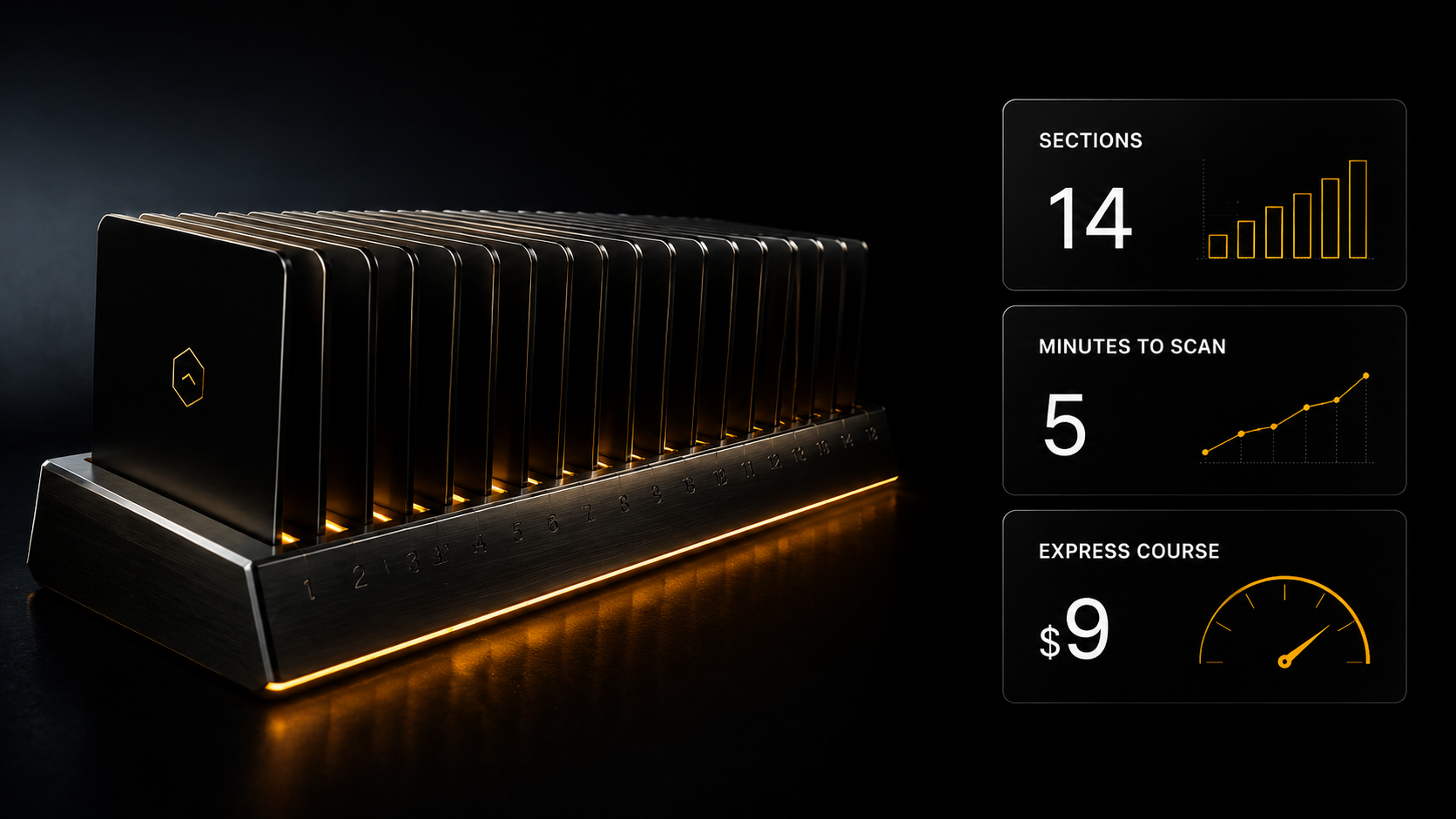
Fourteen sections is a lot, and somebody opening the platform for the first time usually does not know where to start. Below is a five-minute overview: what is where, what is open without registering, how videos and automations are made, and what sits behind which plan.
Fourteen sections is a lot, and somebody opening the platform for the first time usually does not know where to start. Below is a five-minute overview: what is where, what is open without registering, how videos and automations are made, and what sits behind which plan.
In short, if you have no time
The biggest reason people did not buy turned out not to be price: 29% simply did not know we had courses.
There are fourteen sections, split into three parts: ready-made (eight), production (three) and learning (three: courses, live sessions and the blog).
Ready-made means nothing has to be created: over 10,000 skills, over 3,000 automation templates, 200+ assistants, prompts, Open Source, website templates and app interfaces.
Production is Gen AI, the prompt generator and Cerebrum. Videos and visuals are put together by Cerebrum, and on the Full plan also by the AI SKILLS connector for Claude. Payment comes from your balance, top-up from $5, and money on the balance does not expire.
Automation on a schedule and in bulk is the job of n8n and Make templates, not Cerebrum: schedules and auto-runs live there.
More is available without money than it seems: descriptions are open to everyone, registration gives three days of Basic with no card, and 1,000 experience points unlock any advanced skill or template.
An honest warning: fourteen sections and ten thousand skills are a wall if you walk in without a task. Start from a task, not from studying the platform.
The biggest problem turned out not to be price
When I asked my audience why they had not bought, I expected one answer: too expensive. The answer was different.
29% did not know we had courses at all. "Too expensive" was named by 16.1%. 8.1% did not understand what exactly they would get.
So the largest group is people who read the channel and had no idea the product existed. A discount will not help them. They need a proper list of what there is.
And the explanation of how that happened. Three years went into building the platform: fourteen sections, over 10 thousand skills, three thousand automation templates, twenty-nine interface languages. While that was being built the channel was about the craft rather than the product, and there was not much to talk about beyond plans. Now the platform is assembled, and there is something to say.
Below are the fourteen sections, honestly: what is inside, who needs it and what is open with no money. No advertising language.
Part one: ready-made, take it and use it
Eight sections where nothing has to be created. You go in, take it, use it.
Skills for Claude Code. Over 10,000 of them. A skill is not a prompt but a chain of agents: the task is broken into parts, and each agent does its own and passes it on. For example, "Generating PPTX presentations from a slide plan" turns a markdown plan into 16:9 slides in PPTX and PNG in a chosen visual style. Cards and descriptions are open to everyone, files of regular skills come with Basic, advanced ones with Creator and above.
Automation templates for n8n and Make. Over 3,000 ready-made scenarios: links between services, lead handling, mailings, reports, scheduled publishing. Descriptions are visible to all; files of regular templates come with Creator, Make, N8N and Full, advanced ones with Full only (or $9 once, or 1,000 experience points).
Open Source. Over 800 ready-made projects you can deploy yourself. The catalog is open to all, repository links come with Creator.
Prompts. A library of ready requests by category: texts, sales, analytics, images, video. The catalog is visible to all, the prompt texts come with Basic.
AI assistants. 200+ ready specialists by area: marketing, sales, legal questions, HR, e-com, analytics, creative and more. Each is not a prompt but a role with its own questions for you: you open a chat, describe the task, get a document. The catalog is open to all, chats come with Basic. You can build your own assistants on the Creator plan.
Website templates and app interfaces. Prompts for animated landing pages, multi-page sites and app screens, with a preview of the result. Previews are visible to all, prompts come with Plus.
Access to all neural networks. A navigator catalog of AI services laid out by task: text, images, video, audio. It helps you see which neural network fits your task. Open to all.
Why there is so much of it
A fair question: why ten thousand skills if a person needs one? For the same reason a reference book has a thousand pages. You do not read it start to finish; you open the page you need.
The logic of the ready-made part is simple: almost any typical task has already been solved by someone, and instead of building a solution from scratch you take the ready one and adapt it. A presentation skill, a lead-handling template, an assistant for a legal question. The saving here is not money but hours, and at five hours a week there are few of them.
Part two: production, creating something new
Three sections for those who need more than ready-made, and one separate capability on top of them.
Gen AI is for individual generations of images, video and audio, plus training your own character (LoRA) and a voice clone. The character and voice you train stay in your account and are then used in videos.
Prompt generator is for when you need your own prompt rather than one from the catalog: you describe the task and it builds a request for an image, video or music.
Cerebrum is a chat on the platform. You describe the task in plain words and it picks the right models itself. Before a paid step it shows an estimate, and a paid run happens only after your consent. Files are attached with the paperclip or by link.
All of this is paid not by subscription but from your balance: charged for what was actually done, the cost visible before the run, money returned to your balance on a failure. Top-up from $5, money on the balance does not expire, and every paid plan includes a bonus to the balance. This matters: you do not pay for a month in which you did nothing.
Separately, not a section of the site: the AI SKILLS connector for Claude. Available on the Full plan. It connects inside Claude itself (Settings, then Connectors, address https://aiskills.team/mcp), sign-in with your aiskills.team account. Then you describe the task in an ordinary Claude chat, and it generates frames, video and voice with Gen AI models and assembles the video. Files are passed as links: a Google Drive link shared with "anyone with the link", a link to an earlier generation from "My generations", or any direct link.
How videos are made now
Videos used to need a separate builder. Now this work is done by Cerebrum and the connector: the platform's editing pipeline makes the video through the right Gen AI models. Three scenarios.
An expert video with a speaker (Reels, Shorts). You upload a video where you speak. The pipeline transcribes the speech, asks clarifying questions (the call to action, whether you want music, what to cut), builds an editing plan and assembles the video with subtitles, headlines, graphics, inserts and sounds. Styles vary, for example a layered cut-out collage or an advertising style. You can ask for the plan to be shown for approval before rendering. There are other modes too: a faceless video (collage scenes over a voice), cutting a long video of up to 20 minutes into short clips, a website promo, dubbing into another language. A 9:16 cover and a publishing pack (captions, hashtags) are included free.
A video with your AI character and voice. You train the character (LoRA) and the voice clone once in Gen AI. After that they are placed into videos: the same face and voice from video to video, without new filming.
Advertising and cinematic videos from starting frames. First the frames are generated as photos. From them a storyboard is built, each frame is animated by the video model you choose, and the scenes are joined with music or voiceover and subtitles. You can attach photos of your own products: that is how you get a shop's advertising video.
For typical tasks there are ready pipeline skills that run in Cerebrum and through the connector: "Video from idea to result", "UGC ad from a product photo", "Product showcase", "Clip for a track" (advanced: Creator+, or $9 once, or 1,000 experience points), "Product card for a marketplace", "YouTube thumbnail", "Virtual clothing try-on", "Instagram analyst" and others. The files of the rest come with Basic. They are in the skills catalog under "Content generation". I do not quote prices for editing and generations here: the estimate is visible before launch, and payment comes from the balance for what was actually done.
An honest limit: Cerebrum has no schedule and no auto-run. Each video is a separate task that you set yourself. If you need regularity, automation templates come in.
How to automate: n8n and Make templates
When a process has to run by itself, on a schedule, on a new spreadsheet row, on a file upload, you need automation rather than a chat. That is n8n and Make templates. A template is a file: you download it, import it into n8n or Make, connect your own access (keys, tables, social accounts) and switch it on. Schedules, webhooks, looping over a list, conditions and waiting for approval are native features of these systems and run without you.
An important honesty point: an n8n or Make template generates texts, images or video itself through the services connected inside it, and publishes itself. Cerebrum and the connector are not directly tied to them: these are two different paths. A quality-edited video made to a task is Cerebrum and the connector. Regularity, volume and publishing are a template.
Four examples from the catalog of what this looks like:
Scheduled video autoposting to social networks (n8n). Starts on a schedule, 15 nodes, the video is uploaded through the Blotato service. Fits when finished videos pile up and need to go out to social networks on a timetable instead of by hand.
Cross-posting videos from Google Drive to TikTok, Instagram and YouTube (n8n). You put a video in a Google Drive folder and the template publishes it to three platforms and writes the descriptions itself. It combines well with videos you made in Cerebrum: you simply drop the finished file in the folder.
Daily short video generation from a spreadsheet (n8n, advanced: Full, or $9 once, or 1,000 experience points). Every morning at 07:00 it builds a short video from Google Sheets data with no manual work; OpenAI, PiAPI, ElevenLabs, Creatomate, Google Drive and Telegram work together in it. People take it when they need to put out POV stories or Reels every day.
Social media caption generation from Google Sheets (Make). A new row in the table gives a ready caption for a post. The shortest option, four nodes: a good place to start and learn how Make works.
Part three: learning
Learning covers courses and express courses. The program and cards are open to all: you can study the contents before buying. There are sixteen express courses, each costing $9 separately, or 1,000 experience points, or included in a plan.
The basic ones are included in Basic: prompt engineering, Perplexity as an investigation tool, Grok for trend search, an encyclopedia of 198 verified services, "Freelancer packaging" and "Freelance 2.0". The vibe-coding course comes with Creator, Make, N8N and Full.
Separately, the course "Sales" (its main module has ten lessons), also in Basic: four types of clients, handling objections, refusals, burnout, shaping an offer to demand, how to sell without case studies.
The Make and N8N plans include the course of their own platform: "Automation in Make" and "Automation in n8n". The courses "Working with AI software" and "Diploma project defense" are on Full only.
Two more sections live next to the courses. Webinars and broadcasts: free live sessions are open after registration, and paid ones will be added later. The blog is fully open, no registration needed.
Across all sections there are twenty-nine interface languages, which matters if you work with clients outside Russia.
What is open without money, and it is more than it seems
Three things people usually do not know.
A guest sees every section and every description. Only the files themselves are closed. You can walk in and see what exists at all, paying nothing and without registering.
Free registration: three days of the Basic plan switch on with one button, no card needed. Not a demo and not a cut-down version: 200+ AI assistants, prompt texts, skill files, five programme courses (including "Sales") and six Basic mini-courses. The trial is once per account and email.
Experience converts into access. 1,000 points open any advanced skill or template for free.
How to use this without drowning
An honest warning: fourteen sections and ten thousand skills are a wall if you walk in without a task. A person opens the catalog, scrolls for half an hour, closes it and does nothing. That is how it goes for most.
So you go in from a task, not from the catalog.
If you want to start earning, take "Freelancer packaging". A system of seven AI assistants: niche, brand, texts, profiles, landing page. Three days of Basic is enough to go through the whole chain.
If you already have a client and do not know how to talk to them, go to the assistants section, the "Sales" category, plus the sales module.
If you need to complete a specific order, go to the assistants by task category, not to the skills catalog.
If you need a video or a visual, use Cerebrum: describe the task in words and look at the estimate.
If a task repeats every week, that is when automation templates and skills come in.
One rule: one section per task until there is a result. Opening a second before the first has given a result is the fastest way to drown.
Which plan for which task
Short, because confusion here costs people money.
Free. Catalogs, descriptions, course programs, the blog. You pay nothing and see what exists.
Basic, $79 a month. Skill files, prompt texts, chats with all assistants, five programme courses (including "Sales"), six Basic mini-courses — among them "Freelancer packaging" and Freelance 2.0. $10 comes to your balance every month. A plan for someone starting out: everything for packaging, finding clients and correspondence is here.
Plus, $99 a month. Adds prompts for website templates and app interfaces, the "Photo and Video", "Editing" and "Automator" courses and the Plus mini-courses; $19 to the balance. For those who already take orders in volume and sell visuals.
Creator, $139 a month. Advanced skills, regular n8n and Make automation templates, Open Source links, the AI-Assistants and VIBE CODING courses, the Creator mini-courses, building your own assistants; $29 to the balance. For those who build solutions for a client rather than separate tasks.
Make and N8N, $190 a month each. Everything from Creator plus the course of your platform ("Automation in Make" or "Automation in n8n"); $40 to the balance. Taken by people whose work is built around one of these systems.
Full, $599 a year until 30 November 2026, from 1 December 2026 $699 a year. Everything from all plans, including advanced automation templates, both courses available only on Full, and the AI SKILLS connector for Claude; $99 to the balance per year. For those building systems for a business.
Monthly plans have term discounts: three months minus 10%, six months minus 15%. They do not apply to Full.
And three routes to any advanced material instead of one: a plan, $9 once, or 1,000 experience points. If you need one particular skill or template, you do not have to take a plan. Payment goes through Stripe; from Russia a foreign bank card or a personal virtual card works (details in the article on payment). You can cancel the subscription yourself in "My access", and access stays until the end of the paid period. You can ask a question about plans to the consultant bot.
Which section to start from today
Do not study the platform. Studying all of it is pointless, there is months of work in there, and you need a result sooner.
Register and open one section for one task of yours. Three days of Basic is enough to go through "Freelancer packaging" and come out with a ready set of documents instead of a feeling of "how much there is here". If it is already clear that the task is videos or regular automation, look at Cerebrum or the automation templates, and before buying a plan check the block above.
And if you are one of the 29% who simply did not know, now you know. The platform was being built for three years, and all that time it was too early to talk about it: it made sense to show the finished thing, not a building site. Now it is assembled, fourteen sections, and all of them are above.
If you have a friend who asks where to even start with neural networks, forward this to them. The whole list is on one page.
What to take on the platform for your first task
- Freelancer packaging — an express course, $9, Basic plan and above: if the goal is to start earning
- Freelance 2.0 — an express course, $9, Basic plan and above: 62 prompts across 11 stages of the funnel
- Course "Sales" — Basic plan: if you already have a client and are unsure how to talk to them
- Video from idea to result — a pipeline skill for short clips through the AI SKILLS connector
- Telegram sales assistant bot for an online store — an example n8n automation template; advanced (Full, or $9 once, or 1,000 experience points)
What to read next
Which plan to choose is a breakdown by task after the overview.
What you will be able to do in a month shows where this leads in practice.
How much it costs to try explains how payment from the balance works.
How to create your own AI assistant is the next step when the ready-made one did not fit.
Skills for Claude Code is the full guide to skills.