Your Own Claude Account That Won’t Get Banned: Building the Setup in One Evening
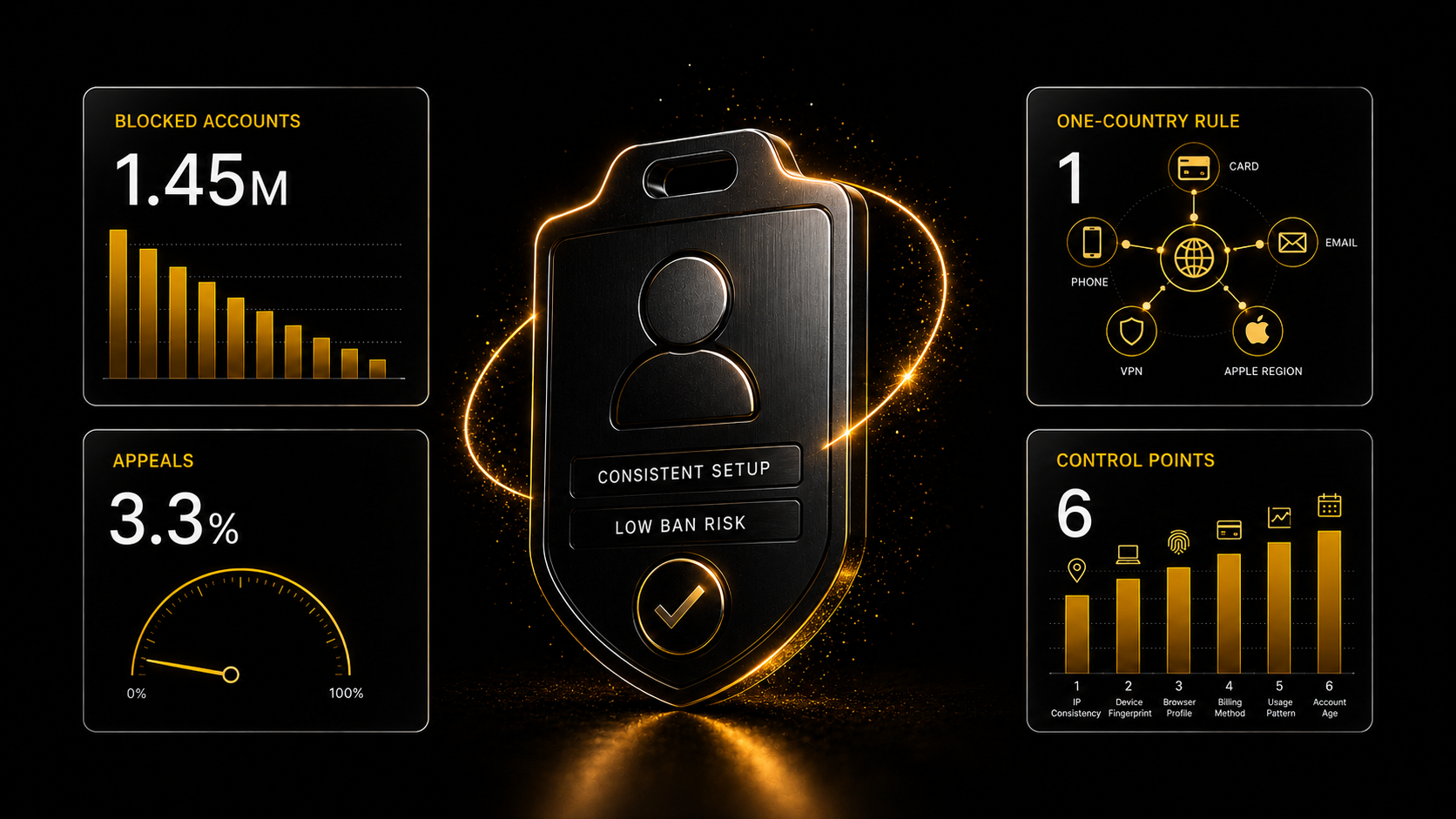
A step-by-step breakdown of how to build a consistent Claude setup: bank card, phone number, email, network access, payment method, clients, and operating mode. The article explains which signals may affect the risk of an account being blocked, why country consistency across different elements matters, and how the author assembled his own UK-based setup.
Your Own Claude Account That Won’t Get Banned: Building the Setup in One Evening
Short Preview
A step-by-step breakdown of how to build a consistent Claude setup: bank card, phone number, email, network access, payment method, clients, and operating mode. The article explains which signals may affect the risk of an account being blocked, why country consistency across different elements matters, and how the author assembled his own UK-based setup.
Contents
- [They Ban You Not for the Country, but for Inconsistency](#they-ban-you-not-for-the-country-but-for-inconsistency)
- [The One-Country Principle](#the-one-country-principle)
- [Step 1. Card](#step-1-card)
- [Step 2. Phone Number](#step-2-phone-number)
- [Step 3. Email](#step-3-email)
- [Step 4. Network Access](#step-4-network-access)
- [Step 5. Paying for Claude](#step-5-paying-for-claude)
- [Step 6. Clients and Operating Mode](#step-6-clients-and-operating-mode)
- [What I Ended Up With](#what-i-ended-up-with)
- [What This Guide Does Not Promise](#what-this-guide-does-not-promise)
In the second half of 2025, Anthropic blocked 1.45 million accounts. Appeals are granted in 3.3% of cases. I’ll break down the signals the system uses to make its decision — and how to build an account setup so you don’t end up in those statistics.
Format: step-by-step guide, ~15 minutes to read, one evening to complete
What you’ll need: a foreign bank card (how to get one — explained below), a phone with eSIM support, access to Claude
Costs: a phone number from £10 as a one-time expense, then a Claude subscription
Level: no technical experience required — all the steps are ordinary, and you don’t need to configure anything in the terminal
A Claude account sometimes lives by someone else’s rules. Anthropic does not allow users from unsupported countries, and that is its right — the company is American, and sanctions compliance is its responsibility. But as a result, thousands of people lose access along with their projects, chats, and work, and most of them do not even understand why.
I’ll break down the mechanics: what exactly the system sees, which signals it combines, and why some accounts survive for years while others get knocked out within a week. And at the end, I’ll show how I built mine — and how much it cost.
They Ban You Not for the Country, but for Inconsistency
In reality, the system does not look at a single line; it looks at how coherent the overall picture is. An account where the IP country, phone-number country, card country, time zone, and language all say the same thing looks like a normal user. An account with an Indian card, an address jumping between Germany and Singapore, and a phone number that has appeared in three hundred registrations looks like a cluster that gets wiped out in batches.
This is easy to see in a typical scenario. A person buys an account on a digital-goods marketplace, puts Claude on their own server, and keeps logging in through a home VPN. Then three things stack up at once: the phone number used to register the account does not belong to them; the seller’s card serves another hundred customers and looks like coordinated activity; and two addresses on one account — a home one and a server one — look like an attempt to bypass limits. The account disappears, and the money is not refunded: the card belongs to someone else.
That leads to a simple conclusion. There are six controllable elements: phone number, email, network exit address, card, client, and operating mode. Any one of them can be the weak link.
The One-Country Principle
Before buying anything, choose one country and build the entire setup around it: card, phone number, address, Apple account region. Not “where the phone number is cheaper” plus “where the card is easier to get,” but one country at every point.
Start with whatever is hardest to replace. Usually, that is the card — it determines the country, and everything else is adjusted around it.
My setup is British, and that is what I show below. If you already have a card from another country on the supported list, build around that one; the logic is the same.
Check your country against Anthropic’s official list before buying anything. Among nearby countries, the list includes Kazakhstan, Kyrgyzstan, Uzbekistan, Armenia, Georgia, Azerbaijan, Moldova, and Ukraine excluding occupied regions.
Step 1. Card
We start with it because without it you cannot buy the phone number.
Any foreign bank card in your own name will work — a Kazakhstani card, Wise, Revolut. If you do not have one, your remaining option is a service that issues a personal virtual card. The key word is personal: the card is issued specifically to you, another two hundred people are not paying with its number, and a chain ban caused by a shared card does not affect you.
I use a Telegram bot for this — WantToPay. The card is British and is issued directly in the mini app within a couple of minutes. The main convenience is that you can top it up using any card from your country, via an ordinary transfer by card number, without any crypto.
What to avoid: services that pay for you using their own card, and sellers offering ready-made access to Claude without a personal account. There, you control nothing and lose everything together with the seller.
A separate point about uniqueness. Your card number is your own, but the BIN — the first digits that identify the issuing bank — is shared by all customers of the service. If a payment filter does not like a specific BIN, the payment will be declined. This is not a ban; it is solved by using another card, but you should expect that the payment may not go through on the first try.
Step 2. Phone Number
Anthropic’s requirement is explicit: a real mobile phone number from a supported country that can receive SMS. Numbers from apps, VoIP numbers, and landlines are not accepted, and one phone number serves one account.
Renting a number from an SMS service is immediately ruled out: it belongs to someone else, has been used in thousands of registrations, and can be reassigned to someone else at any moment.
And to be clear about when you will need the number: you may not be asked for it during registration. I was not. The check is selective, while Anthropic’s rules say that a number is required to “create and use” an account — meaning the request can appear at any time: during payment, when logging in from a new device, or during suspicious activity.
That does not mean “I’ll buy one later when they ask.” Between “Claude asked for a code” and “I have a working number” there is the eSIM order, activation, and a one-day cooling-off period — and during all that time, access to the account is hanging in limbo. The number is your key for every subsequent verification, not a one-time registration code.
The main option is giffgaff, United Kingdom. It provides a British number (+44), you set it up yourself, no documents are required, and the eSIM is installed immediately. My number cost me £10, and I paid using the same card from Step 1. Incoming SMS messages are free; outgoing ones cost 30 pence. To keep the number alive, activity once every six months is enough — one sent SMS. It also fits neatly into a single British setup with the card, which is exactly the case where the card country, phone-number country, and network exit country match.
Keep one thing about giffgaff in mind: SIM cards in the UK are not tied to a passport, so the number is tied to your giffgaff account — your email and password. If you lose access to the account, you will have no way to prove to the operator that the number is yours. Protect access to the operator account just as carefully as access to Claude itself.
A backup option is through esim.kz. It is useful if you are building a non-British setup or need a number registered specifically to your passport. Registration is remote, with no travel required, using an international passport with biometrics in the app. It costs 9,990 tenge, with the tariff charged separately. The number is cancelled after 12 months of inactivity, and there is a paid number-retention service (check the price with the operator). It is more expensive and more cumbersome than giffgaff, but the number is legally yours and can be restored through the operator.
Step 3. Email
This is where people most often do unnecessary work. The logic of “I’ll create a clean email specifically for Claude” sounds reasonable, but it gives you no advantage.
The receiving side cannot see the date when the mailbox was created: email services do not disclose it, and Google sign-in does not either — it passes an identifier, address, name, and avatar, but not the registration date. So the popular advice that “you need an account older than ten years” cannot be verified, and it is usually spread by sellers of phone numbers and proxies.
Something else matters — the footprint of the address. An email address you have used for years for payments and registrations has history in external verification databases. One created today has no such history, and the absence of confirmations is not an advantage in itself.
That is why the most reliable element of the setup is the only one you do not have to pay for: sign in to Claude using your regular email address that you have been using for a long time. There is one condition — it should be an email account from a global provider: Gmail or Proton. Do not use other mailboxes for a Claude account: the mailbox is the one element that loudly reveals the real country. At the same time, creating a new Gmail account under a foreign address makes no sense — it is just as much of a blank slate, while Google is stricter than Anthropic with fresh accounts using a VPN, so you can lose both access points at once.
If you do not have an old email address available, there are two options.
The easier one is AXO VPN or X 8 VPN. Registration is quick and does not require a phone number; that is how I created mine.
The more coherent option is a new Gmail account inside the same British setup. Since you already have a British phone number and a British connection, create the email there as well: under a British VPN, open Google registration and create the mailbox using the giffgaff number. Then the email, phone number, and connection all come from one country, while Gmail looks more familiar than any other domain. One caveat: in terms of “footprint,” a new Gmail account is no better than a new Proton account; both are blank slates, and Google is more demanding than Anthropic toward fresh accounts created through a VPN — registration may ask for additional verification. That is exactly where the phone number comes in handy.
Whatever you choose, immediately add backup recovery methods; otherwise the mailbox itself becomes a single point of failure. Lose it, and you lose the Claude account too.
Step 4. Network Access
First, I want to clarify what actually matters here, because people online like to scare others with “don’t change your IP.” Anthropic says it determines location at the country level — that level of precision is enough to verify compliance with the terms. A changing address by itself does not bother the system: on any mobile connection, the IP jumps every few minutes, and nobody gets banned for that.
What matters is not whether the address stays constant, but two other things.
The country should be one and the same. Logging in from the UK, then an hour later from Kazakhstan, then through China, and by evening from Germany — that is an anomaly: a person cannot physically move like that. Within one country, the address can change as often as it wants.
The address type has a reputation. Datacenter ranges and free-VPN pools have long been identified as such — a residential address looks much more normal. Also check for DNS and WebRTC leaks: they reveal the real location outside the tunnel, and that is already a genuine inconsistency.
So in practice, if the setup is British, use a British VPN — both on the computer and on the phone. Not “whichever one connects,” but consistently British, so that the network exit country matches the card country and phone-number country. If you are building the setup for another country, the logic is the same, just using that country.
Next, align the system itself: set the time zone and interface language on both the computer and the phone to match the exit country. Anthropic officially determines the country “by IP address and other signals”; this cannot be disabled, and the browser itself provides the time zone and language.
An anti-detect browser is unnecessary for this task and makes things worse. It only covers the browser, while Claude Desktop, Claude Code in the terminal, and the phone app work outside it and expose the system’s real time zone. You end up with a browser tab that looks perfect while everything else leaks. An aligned system closes all channels at once.
And regarding logging in from two places at the same time — for example, from home through one tunnel while also connecting from a server in another country. This is not an automatic ban: with a clean account, a real phone number, and your own card, this pattern can pass without issues; I work like this myself — home from one country, server in another. The combination becomes dangerous when the account already has red flags: a fresh email, an intermediary’s card, a history of failed payments. Then logging in from two countries at once is not the reason for the ban, but the final straw on top of everything else. The takeaway is simple: the cleaner the rest of the setup is, the less the system has to object to.
Step 5. Paying for Claude
Link the same WantToPay card from Step 1 directly in Claude — that is exactly how I pay, and the payments go through. This is where the reason we specifically chose a personal card matters: it is issued to you, nobody else pays with its number, and the system has nothing to object to. This is the shortest route: link it and forget about it.
The second option is through the App Store, using the same card. In that case, Anthropic sees a payment from Apple, and the card does not reach Anthropic at all, so the question “what kind of card do you have?” disappears along with the card itself. There is only one condition: the Apple account region must match the card region — meaning that for a British card, you need to change the region of your Apple ID to the United Kingdom (Settings → your name → “Media & Purchases” → “Country/Region”). Previously, Apple would not let you change the region while there was a remaining balance or an active subscription, but now the region can be changed even with active subscriptions — so just try it; most likely, it will work immediately.
Both routes work. I personally pay directly by card — there is no shorter way; the App Store is slightly more shielded, but it adds the extra step of changing the region.
If you have no card at all, there is a third route: an Apple account in a region where gift cards are sold — the USA, Turkey, Poland, UAE. You top up the balance with a gift card and pay for the subscription from the balance; Apple officially supports this. Gift cards are region-locked: a US card can only be activated on a US account. Payment from a mobile carrier balance has been disabled since April 2026, so we no longer consider that method.
After paying through the App Store, immediately check that Claude Code recognizes the subscription, if you use it. There are cases where an App Store purchase is not recognized and the terminal returns a refusal. There is no fix — only switching to direct billing, so it is better to find out immediately rather than a month later.
Step 6. Clients and Operating Mode
Use the official clients: claude.ai, Claude Desktop, Claude Code. CloudCLI is also suitable — it is a wrapper around the official claude , not a standalone client.
Do not share the account: simultaneous logins from different countries look like a botnet. And stay away from attempts to bypass model restrictions — that is the only category where the block is permanent.
What I Ended Up With
The sequence I followed myself:
- A British card through the bot; I topped it up with an SBP transfer.
- Bought a giffgaff number — £10, paid with that card.
- Created an email on proton.me; registration went smoothly.
- Registered a Claude account — the phone number was not requested during registration.
The last point deserves a separate note so you do not relax. Anthropic’s wording is that a number capable of receiving SMS is required to “create and use” an account. The check is selective and appears later — during payment, when changing devices, or during suspicious activity. Since June 2026, in some cases it has gone as far as document verification. So the number was not bought for nothing: keep it active, because you do not get to choose when the request appears.
What This Guide Does Not Promise
There are no guarantees here, and anyone who gives you guarantees is selling you reassurance instead of a solution.
Anthropic says it directly: Claude may be used by people who are physically located in a supported country. A consistent setup reduces the probability of an automatic flag, but it does not override the rule itself. A block can still happen even with a careful setup — there is a known case where a paying subscriber was banned simply because of their company’s corporate VPN.
That is why the main protection is not becoming invisible; it is making sure that a ban costs you a subscription rather than your work. Keep everything valuable locally: context, prompts, knowledge base, finished content — as files on your own drive, not as chats in the cloud. Then losing an account turns into an evening of hassle instead of a catastrophe.
A banned account, by the way, still retains access to claude.ai — you can export your data and submit an appeal at claude.ai/restricted . But remember the 3.3% figure and do not rely on that as a plan.
What to take on the platform for this task
- Claude: from the first prompt to your own library of mega-abilities — an express course on working with Claude; $9 or from the Creator plan
- Catalogue of skills for Claude Code — ready skills that live as files on your own drive rather than in a chat; descriptions are open to everyone, files of regular skills come from the Basic plan, advanced ones from Creator+ (or $9, or 1000 XP)
- Cerebrum — a chat on the platform: describe the task in plain words, pay from your balance as you use it, the price is visible before launch; no separate foreign account needed
- Jan — an offline AI chat on your own computer — Open Source: a fallback that works with no internet and no subscriptions; the description is open to everyone, the repository link comes with Creator and above