Claude Code + NotebookLM: Build Your Own Research Engine and Stop Burning Tokens
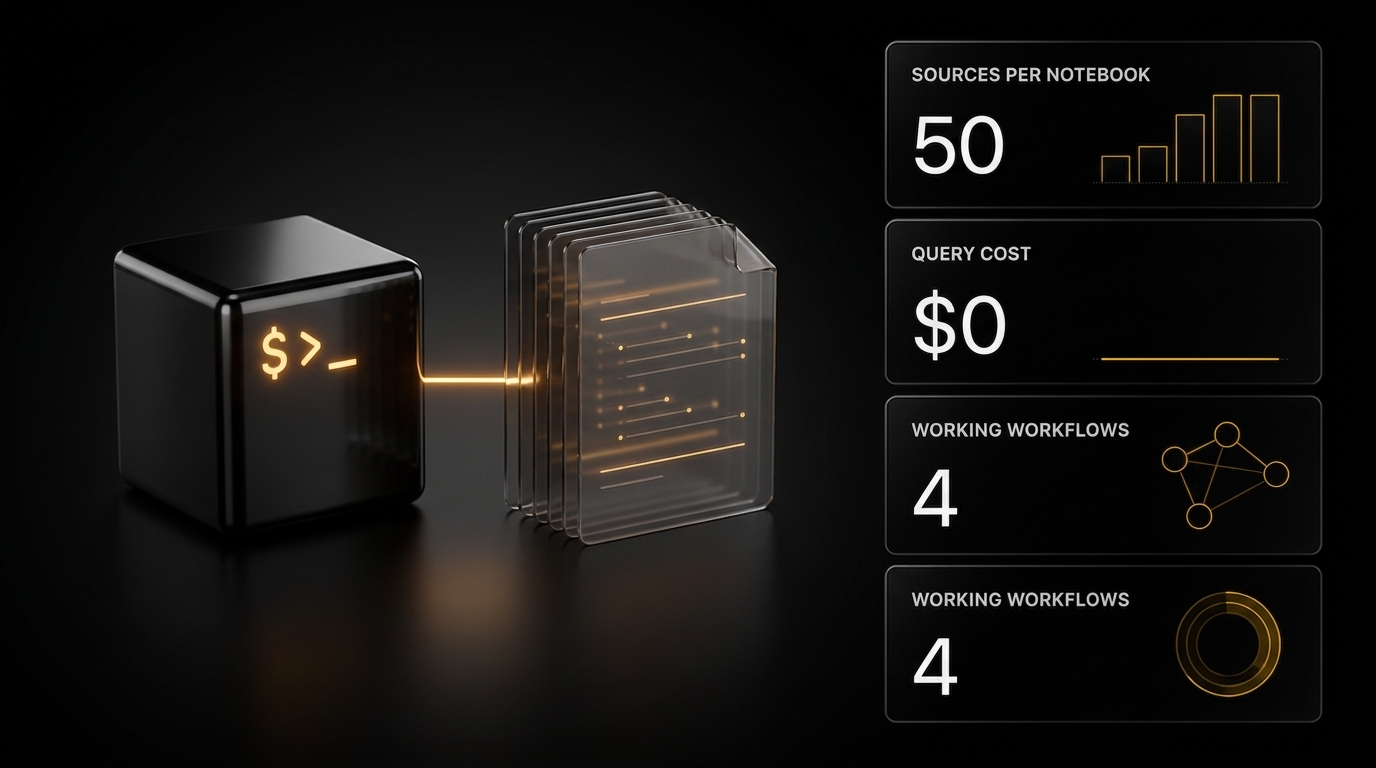
Claude limits burn fastest on heavy research, and every new session starts from a blank slate. The fix is pairing Claude Code with Google's free NotebookLM: heavy analysis runs on Google's infrastructure while your tokens go only to orchestration and final assembly. Four working workflows and an honest look at the risks.
Anyone who works with Claude seriously eventually runs into the same message: "Claude usage limit reached. Your limit will reset at 7pm." On the Pro plan it hits fast. On Max it comes later, but heavy research still eats through your budget. On the API, you pay for every token directly.
And there's a second, less obvious problem — amnesia. You spend three hours explaining your project architecture to Claude, your naming conventions, your favorite patterns. You close the terminal, and all of it is gone. The next session starts from a blank slate, and you pay tokens to reload context you already explained once.
Both problems come down to one idea: don't do all the heavy lifting inside Claude. Some tasks — indexing large document sets, searching through them, long-term memory — can be handed off to a free Google tool called NotebookLM, while you spend Claude's tokens only on what it does best: orchestration, judgment, and final assembly.
This is not "bypassing limits" or a clever hack. It's sound engineering: each tool does what it was built for. Below is how to set up this pairing, four working workflows, and an honest breakdown of the risks.
What the setup is made of
Three components:
- Claude Code — the conductor. Orchestrates the process, makes decisions, writes the final result.
- NotebookLM — the heavy artillery for research. Indexes documents and answers questions about them. For free.
- The bridge between them — a CLI tool that lets Claude Code drive NotebookLM from the terminal.
Let's take each one.
Claude Code — if you only knew Claude from chat
Claude Code is a completely different animal compared to the web chat. It lives in the terminal, reads your entire codebase, writes files, runs scripts, spins up parallel subagents, and executes multi-step processes without hand-holding at every step.
Its strength is autonomy. Its cost is the pricing model: every chunk of context you load into it burns tokens. That's exactly why it makes sense not to dump thirty documents into it, but to hand the heavy part to something else.
NotebookLM — a RAG-based research tool
NotebookLM is a Google service built on RAG (retrieval-augmented generation — generation grounded in retrieved sources). You load documents, it indexes them, and it lets you ask questions across the whole base at once.
What matters to know:
- Free tier: up to 50 sources per notebook.
- Pro tier: up to 300 sources per notebook.
- Cost of processing queries: zero.
- Formats: PDF, web links, YouTube videos, Google Docs, text, audio, images.
- Fewer hallucinations: answers are tied to loaded sources, so it doesn't make things up the way a general-purpose chatbot does — and it gives citations.
The main limitation: NotebookLM has no official API. It's a browser-only tool. Out of the box you can't script it, automate it, or connect it to Claude. That's exactly the wall the bridge breaks through.
The bridge: notebooklm-py
Developer Teng Ling reverse-engineered NotebookLM's internal protocols and published an open-source CLI tool called notebooklm-py. It lets you drive NotebookLM entirely from the terminal: create notebooks, upload sources, run queries, generate slides, podcasts, flashcards, and tables.
What you need to install it:
- Python 3.10+
- A Google account
- A terminal (macOS, Linux, Windows)
Repository: https://github.com/teng-lin/notebooklm-py — then follow the README.
⚠️ A note on honesty. notebooklm-py is an unofficial tool. It reproduces Google's closed protocols, and Google does not endorse this. It is not production infrastructure — it's a tool for advanced users: it can break any day if Google changes the backend. Before installing, it's worth opening the repo and skimming the code — it's an open project, and that check takes a couple of minutes but lets you understand what you're putting on your system. A detailed breakdown of the risks is at the end of the article.
Skills: teaching Claude Code to use the bridge
The bridge is installed, but Claude doesn't yet know how to use it. That knowledge comes from skills.
What a skill is in 30 seconds
A skill is a set of instructions in a SKILL.md file that Claude reads when it recognizes a matching task. Essentially it's a playbook sitting on your machine. Claude loads it automatically when it detects a match with your request.
Skills follow an open standard and work not only in Claude Code but also in Cursor, Gemini CLI, Codex, and others — no vendor lock-in.
Where skills live
Personal (available across all projects):
```
~/.claude/skills/skill-name/SKILL.md
```
Project (tied to a repo, shareable via Git):
```
.claude/skills/skill-name/SKILL.md
```
If a personal and a project skill share the same name, the project one overrides the personal one.
Installing the NotebookLM skill
```
notebooklm skill install
```
The skill installs into two places at once: ~/.claude/skills/notebooklm/ (for Claude Code) and ~/.agents/skills/notebooklm/ (for compatible agents like Codex).
Check it:
```
notebooklm skill status
```
After this, Claude understands how to create notebooks, upload sources, run queries, and generate results via the CLI. You no longer have to explain the syntax every session.
How Claude decides when to use a skill
Every skill has a description in its header. On startup Claude reads all available descriptions and matches them against your request. Say "research B2B sales strategies and compile a report" and it pulls in the NotebookLM skill on its own. You can also invoke it directly: /notebooklm.
Your own skills in minutes
Anthropic publishes a meta-skill called skill-creator. Run /skill-creator in Claude Code — it interviews you about what you need, generates a full SKILL.md, runs test prompts, and packages the result. From "I want a skill that does X" to a working, tested skill — minutes, not hours.
Four working workflows
Installation is the boring part. The real value is in these four scenarios.
Workflow A. Research without extra token spend
The task: analyze 30+ documents, find connections, and write a report. Pulling all of that into Claude's context is expensive.
The solution: Claude orchestrates, NotebookLM processes.
Step by step:
- Gather your sources — PDFs, articles, YouTube transcripts. To pull transcripts, Claude can use
yt-dlp.
- Claude creates a notebook:
```
notebooklm create "My Research Project"
```
- Claude uploads the sources:
```
notebooklm source add \
"./transcript-1.md" \
"https://example.com/article" \
"./report.pdf"
```
Up to 50 sources per notebook on the free tier — enough for most projects.
- Claude queries NotebookLM instead of processing locally:
```
notebooklm ask \
"what are the three most important themes across all sources?"
```
Google's Gemini engine processes the query across all documents and returns an answer with citations.
- Claude generates artifacts:
```
notebooklm generate slide-deck
notebooklm generate flashcards --quantity more
notebooklm generate mind-map
notebooklm generate data-table "compare key concepts"
notebooklm generate audio "make it engaging" --wait
```
Everything downloads to your machine.
- Claude polishes the result. It takes the raw artifacts and refines them locally: edits slides, reformats tables, weaves the findings into a final document. Only this step spends your Claude tokens.
The bottom line: the expensive analytical part runs on Google's infrastructure, while Claude's tokens are reserved for orchestration and final editing. You use each tool for what it's for — and get noticeably more value out of your plan for the same money.
Workflow B. Expert AI agents from web research
The task: build a custom AI agent for a specific domain (say, B2B sales). The problem is that vague prompts produce vague agents.
The solution: first gather expert knowledge from the web autonomously via Deep Research in NotebookLM, then structure it into a skill for Claude Code.
Step by step:
- Launch Deep Research. In NotebookLM, choose source type "web" and enter a specific query:
"advanced B2B multi-channel outbound sales strategies, retention loops, and re-engagement sequences"
Deep Research autonomously crawls hundreds of pages, reads documentation and guides, and compiles a report with citations.
- Structure the result using the DBS framework:
- Direction — step-by-step logic, decision trees, error handling. Becomes the core of
SKILL.md. - Blueprints — static reference material: templates, tone guidelines, classification rules. Become companion files.
- Solutions — anything that needs deterministic code rather than AI reasoning: API calls, data formatting, calculations. Become scripts.
- Feed the result to skill-creator. Copy the DBS output, paste it into Claude Code, run
/skill-creator— it assembles the whole skill package.
- Test and deploy. Skill-creator stress-tests the new skill with generated prompts and lets you refine it to the level you need.
The result: from a vague idea to a working expert agent backed by verified web research — in minutes.
Workflow C. Memory across sessions
This is the cure for that amnesia. The idea is a "wrap-up" ritual that, at the end of a session, automatically extracts what you built and saves it to a persistent NotebookLM notebook — and at the start of every next session, Claude queries it.
Step by step:
- Install the
/wrap-upskill. It instructs Claude to review the current session and extract:
- your corrections (where Claude got it wrong),
- successful patterns that worked,
- open questions and feature requests,
- key decisions and their rationale.
- Configure the export to NotebookLM. Instead of a local file, wrap-up pushes the summary to a dedicated "Master Brain" notebook:
```
notebooklm use master-brain-notebook-id \
"./session-summary-2026-04-06.md"
```
- Run
/wrap-upbefore closing every session. Claude reviews the conversation, extracts insights, formats them, and exports.
- Add an instruction to
CLAUDE.md— the config Claude reads at session start:
"Before answering questions about project architecture, historical decisions, or my preferences, query the Master Brain notebook via the NotebookLM CLI."
- Now Claude has memory. Over weeks, Master Brain accumulates hundreds of session summaries. NotebookLM indexes them all and builds semantic links. Claude retrieves exactly the context it needs, without loading hundreds of documents into its context window.
The result: your agent genuinely remembers everything you built together. Storage and retrieval run on Google's free infrastructure, and your token budget is untouched.
Workflow D. Visual knowledge management with Obsidian
Claude generates research documents, session summaries, analysis. They pile up as invisible files in terminal directories — you can't view them, search them, or link them.
The solution: launch Claude Code from the root of an Obsidian vault so that everything it creates shows up immediately in a visual knowledge graph.
What Obsidian is. A free note-taking app running on local Markdown files. It renders notes as an interactive graph of linked nodes. Extremely popular for personal knowledge management.
Step by step:
- Launch Claude Code from the vault root:
```
cd ~/Documents/MyVault
claude
```
Claude gets full read and write access to the entire note collection.
- Create a
CLAUDE.mdat the vault root — instructions for working with it:
- folder structure (where research goes, where logs go),
- required metadata for new notes (dates, tags, source links),
- linking rules (wrap meaningful concepts in double brackets
[[like this]]for the graph), - formatting standards.
- Build custom skills for the vault:
/research <topic>— Claude queries NotebookLM, downloads the results, creates a note with metadata and cross-links;/daily— generates a daily summary with links to everything you worked on;/wrap-up— the memory skill from Workflow C, saving directly into the vault.
- Refine in real time. As Claude creates files, you watch them appear in Obsidian. If it miscategorized a note or missed a link — fix it and ask it to update
CLAUDE.md. The feedback loop trains Claude to match your preferences.
The result: a living, growing knowledge base. Claude sorts, tags, and links information by your rules, NotebookLM handles heavy research in the background, and you see the whole picture in the graph.
What can go wrong (required reading)
The setup is powerful, but part of it is built on an unofficial tool. Before you wire it into your workflows, accept these things as givens.
Unofficial API — no guarantees. notebooklm-py reverse-engineers Google's internal protocols, and Google does not endorse this. If they change the backend, the commands stop working. The maintainer is responsive for now, but there are no SLAs. Treat this as a tool for advanced users, not production infrastructure. And review the repo/code before installing — it's an open project.
Anthropic usage policy. Anthropic requires automated processes to use the official Claude Code client with an appropriate plan. The workflow described here follows that — Claude Code is used officially, and the unofficial wrapper applies only to Google NotebookLM. Don't turn this into a tool for circumventing Claude's limits through unofficial wrappers, and make sure your usage fits your plan.
Data and privacy (EU, UK). If you work with confidential or regulated data: Claude's consumer tools process and store data in the US, and the GDPR implications are real. Regional processing is offered by the enterprise API, not the consumer tier.
Protect the cookie file. The storage_state.json file contains live Google session cookies. Whoever gets this file gets access to your NotebookLM. Never commit it to a public repository, and treat it like a password.
Cookies expire. You'll periodically need to re-authenticate. If commands start failing with auth errors:
```
notebooklm login
```
It takes 30 seconds.
Command quick reference
| Command | Description |
|---|---|
notebooklm create "Name" | Create a notebook |
notebooklm source add file url ... | Add sources |
notebooklm ask "question" | Query the notebook |
notebooklm generate slide-deck | Generate slides |
notebooklm generate flashcards | Generate flashcards |
notebooklm generate mind-map | Generate a mind map |
notebooklm generate audio | Generate audio |
notebooklm generate data-table "..." | Generate a table |
notebooklm skill install | Install the skill |
notebooklm skill status | Check skill status |
notebooklm login | Re-authenticate |
What to explore next
Build a library of skills. Every recurring process is a candidate for a skill: package it once with skill-creator and reuse it. But you don't have to build everything from scratch — the Claude Skills section on our AI SKILLS platform already has over 10,000 ready-made skills for all kinds of tasks, plus a skill-creator (an advanced skill: Creator and above, Full, or $9 one-off or 1000 XP) to quickly build whatever's missing. Grab them here: https://aiskills.team/claude-skills
Downloading a skill is the easy part — learn to earn from it. The catalog is just the entry point. On the Creator tier and above we walk through, hands-on, how to build and orchestrate your own skills for your tasks, and in the “VIBE CODING” (Creator and above), “Automations in Make” (Make and Full) and “Automations in n8n” (N8N and Full) courses we show how to assemble agents on top of them and vibe-code ready platforms, sites, and bots — with cases and masterclasses on monetization.
Plug in our MCP connector for Claude Code. MCP (Model Context Protocol) is the protocol Claude Code uses to talk to external systems. We built our own connector (Full plan): you simply describe the task in Claude Code, and it goes into the platform's vector base of skills and open-source solutions, works out the setup on its own — what to use and how to wire it together — and proposes ready agents that swarm the needed skills and code and start building. Layer that on top of the skills catalog and you get not a set of tools, but a full autonomous engine for your projects.
Add Obsidian plugins. Dataview for dynamic queries across notes, Templater for automatic note templates. Combined with Claude's file generation, the vault turns into something closer to a "second brain" than a note-taking app.
What to take on the platform for this task
- Research over documents via NotebookLM — a skill: Claude Code asks your NotebookLM notebooks questions and answers from the uploaded sources; advanced (Creator and above, or $9 / 1000 XP)
- Automatic content upload to NotebookLM — a skill: loads materials into NotebookLM and generates podcasts, slide decks and mind maps; advanced
- Knowledge base management in Obsidian — a skill for workflow D: an Obsidian knowledge vault run by Claude Code; advanced
- Open Notebook — private work with documents — Open Source: a replacement for NotebookLM when materials cannot go to someone else's cloud; the description is open to all, the repository link from Creator
- Second Brain — a personal LLM knowledge management system — Open Source: a “second brain” over your own files on your own server; repository link from Creator
- RAG pipeline over Google Drive documents — an n8n template: search over your own documents; Creator plan and above
Registration is free. Three days of the Basic plan switch on with one button, no card needed: Basic includes the files of regular skills and 200+ AI assistants.
The core idea
You're not bypassing limits or gaming quotas. You're simply no longer using an expensive tool for cheap work. Heavy research goes to Google's free infrastructure. Orchestration, judgment, and the final result go to Claude. And your memory and knowledge live in a persistent, growing store that outlasts any session. Assembled once, this setup changes not the speed of a single task, but the very scale of what you can carry on your own.