A thirty-thousand-character prompt instead of "make me a landing page"
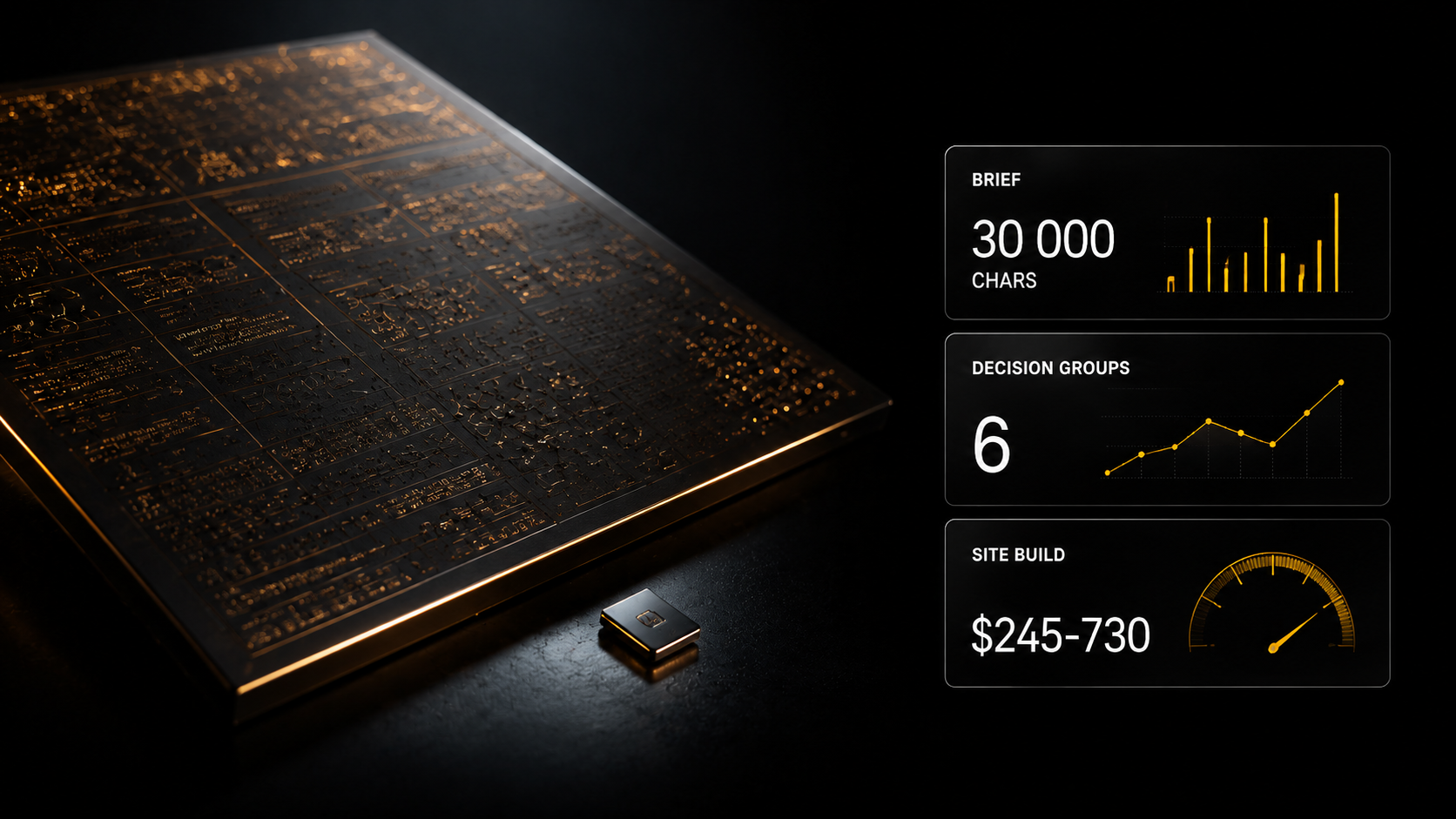
"Make a nice landing page" gives you a nice landing page in general — because one screen holds hundreds of decisions, and every unnamed one the model settles by averaging. Below are six groups of decisions that determine the result, and what a description with them set out looks like.
"Make a nice landing page" gives you a nice landing page in general — because one screen holds hundreds of decisions, and every unnamed one the model settles by averaging. Below are six groups of decisions that determine the result, and what a description with them set out looks like.
"Make a nice landing page for my product"
That is how nine people out of ten phrase it. And they get exactly what they asked for: a nice landing page in general.
A standard first screen with a large headline, three benefit blocks with icons, testimonials, a form, a footer. It works. It looks respectable. It differs from any other in no way at all.
Then the person starts clarifying: change the colour, use a different typeface, add animation, remove that block. Twenty passes, and by the tenth the project starts falling apart — every correction breaks something from before.
The model is not the cause. The cause is that you gave it three words and a landing page holds hundreds of decisions. Everything you did not name, it decided for you — and decided by averaging.
How many decisions are in one screen
Let us take the first screen, so it becomes visible.
What has to be determined before it comes out as anything other than average:
Structure. What sits above, what below, what is visible before scrolling, where the screen ends on different devices.
Typography. Typeface, sizes, weight, letter spacing, line height, how that changes on mobile.
Colour. Background, text, accent, the proportion between them, behaviour on hover.
Space. Gaps between blocks, the width of the text column, the margins.
Motion. What appears on load, what responds to hover, what happens on scroll, at what speed.
Behaviour. What happens with an empty form, on a slow connection, on a narrow screen.
That is six groups with several decisions each — for one screen. On a page of seven blocks there are hundreds.
When you write "make a nice landing page", you delegate all of those decisions. The result will be average not because the model is weak but because averaging is the only thing that can be done with no direction.
What a real landing page brief looks like
Not a paragraph but a document.
In the site templates catalogue the prompts average around 10 000 characters, the most detailed up to 75 000. That is not the line "make a landing page" but a full technical brief running to dozens of pages, with every screen set out.
What is inside:
The whole structure — which sections, in what order, what is in each.
Typography with specifics — not "a modern typeface" but the family, the weights, the sizes and how they change.
A colour scheme with exact codes and a proportion rule.
Animation behaviour — what happens on hover, on scroll, on load, over what duration.
Adaptation — how this rebuilds on tablet and phone rather than simply compressing.
The difference in the result is not cosmetic. A prompt with six groups of decisions gives a site that looks designed rather than assembled.
Why you cannot write this yourself
A fair question: if it is known what should be in a brief, why not write it?
Three reasons, all practical.
Volume. Ten thousand characters of meaningful technical text is several hours, even if you know exactly what you want.
Knowing what to want. The hardest part of working with generation is not stating things but understanding what needs stating. Margins, line height, hover behaviour — somebody who has not done design does not think about that.
Verification. Having written a brief, you find out whether it was good only after generation. Ready prompts come with a preview: you see the result before anything is launched.
That is exactly why a catalogue of 343 prompts saves not money but the month that goes on understanding what needed writing in the first place.
How to use this properly
A prompt is not a finished site. It is a blank, and it has to be worked with in a particular order.
Step 1. Choose by preview rather than by description. Look at the result rather than reading the category name.
Step 2. Do not rewrite the whole prompt. Change the content — texts, names, images — and leave the structural and stylistic decisions. They are the value.
Step 3. If you change the style, change it consistently. Changed the accent colour — check it has not broken the contrast in blocks with text on it.
Step 4. Correct by address. Not "make it better" but "in the pricing section change the order of the columns, do not touch anything else". A model given a precise address corrects precisely. One given "fix it" rewrites half of it.
Step 5. Keep a list of the untouchable. Every correction request ends with what must not be changed. One line that prevents most breakages.
Where a long brief works
The prompts are written for an ordinary stack and are not tied to any specific service.
They paste into any environment that can write code: development environments with AI assistants, generation-based builders, editors with plugins. Or simply into a chat, with the code transferred by hand afterwards.
There is no tool limitation: a prompt is text rather than a project.
What follows from this for jobs
The practical part.
Speed stops being the client's argument. "I will assemble it myself in an evening" — yes, he will, an average one. The difference between average and designed is visible, and that is what people pay for.
You are selling not the assembly but the selection and the fitting. Picking a suitable one from 343 variants, adapting it to the brand, filling it with content, checking it.
The order of prices. In our bot's feed of 5 986 jobs over four months: a multi-page site $245–730, against a median one-off job of around $60. A caveat: there is no separate "Development" category in the parser, so the ranges are a guide from adjacent categories and from practice.
And what separates a contractor from a jobber at delivery: credentials in the client's name, a short instruction, the recurring costs named, and the terms of support.
What the platform offers for long prompts
Site templates — 343 ready prompts. Three subsections: sites 240, individual sections 80, animated backgrounds 23.
Site categories: hero sections 80, landing pages 61, SaaS 33, agencies 10, portfolios 8, shop windows 8, plus creative, AI, 3D, fintech, automotive, presentations, travel, Web3.
The sections are grouped by purpose: pricing, testimonials, footer, login form, call to action, about the company.
The preview is visible before launch. Plus plan.
Skills for Claude Code — over 10 000. The catalogue is open to everyone, the files come with Basic, advanced ones with Creator+.
The "Creative" category assistants — art director, web designer, UX designer, image prompt generator. From Basic.
Registration is free and opens three days of full Basic access.
Where to start today
One action. Take your last request for a generated site and count how many of the six groups of decisions you named in it: structure, typography, colour, space, motion, behaviour.
Usually one or two are named. The other four the model settled for you.
That is the difference between your result and what comes out of a ten-thousand-character prompt. Not the quality of the model.
A live example of a prompt like this
The Site templates section, Plus plan — 343 prompts, and it is exactly the case this article is about. On average around 10 000 characters, the most detailed up to 75 000. A full technical brief running to dozens of pages instead of the line "make me a landing page".
The showcase and previews are open to everyone: you can open any template, look at the result and understand what that volume consists of — block structure, hover behaviour, responsive layout, texts, animations, form states.
A mega prompt as a frame for your own. The Claude and Gemini express courses ($9 each, Creator plan and above) give the structure by which that volume is assembled sensibly rather than grown chaotically: role, context, task, response structure, constraints, success criteria.
Assistants, Basic plan: Prompting Assistant and GPT Prompt Master — they help unfold a short thought into a detailed assignment. Landing page architect — it asks clarifying questions itself until it has assembled a full brief.
Where the habit of describing precisely comes from
A ten-thousand-character prompt is a particular case of a skill taught separately.
The "Advanced prompting" course covers methods in four groups (one lesson per group): fundamentals and context · logic and reasoning · multi-step processes · autonomous methods.
The third group is directly about this: how to lay out a large task so that every step is described sufficiently and does not reuse the previous one's guesses.
And in the "Basic prompting" course the lesson "Cascading prompts" gives the underlying principle. The phrasing from the lesson: you lead the model along a clear plan, like a scriptwriter. Break the task into stages, check the intermediate answers, steer onwards.
The example straight from it is assembling a landing page: structure first, then headlines, then block texts, then detail.
What that changes. A ten-thousand-character prompt is not a feat of persistence. It is the result of somebody knowing how many decisions a task consists of.
Both courses — Basic plan.
What to take on the platform for this task
- Nano Banana prompts and Image prompt generator — assistants that unfold a short thought into a detailed image prompt; from Basic
- Web designer — a website design assistant; from Basic
- Prompt engineering: a basic course — an express course on working with all AI models, $9, Basic and above
- Grok: trend search — an express course and a library of 15 ready mega-prompts for business tasks, $9, Basic and above
- The "Advanced prompting" and "Basic prompting" courses — Basic plan
- Site templates — 343 ready long prompts; Plus plan
What to read next
Look first, generate second — how to choose by result.
Why a project falls apart at the third correction — the description as the source of truth.
What sells from what you assemble — where to take the result.
A landing page per segment — what should be on the page.
Skills for Claude Code — the full guide to skills.