Making a character speak: lip sync without filming
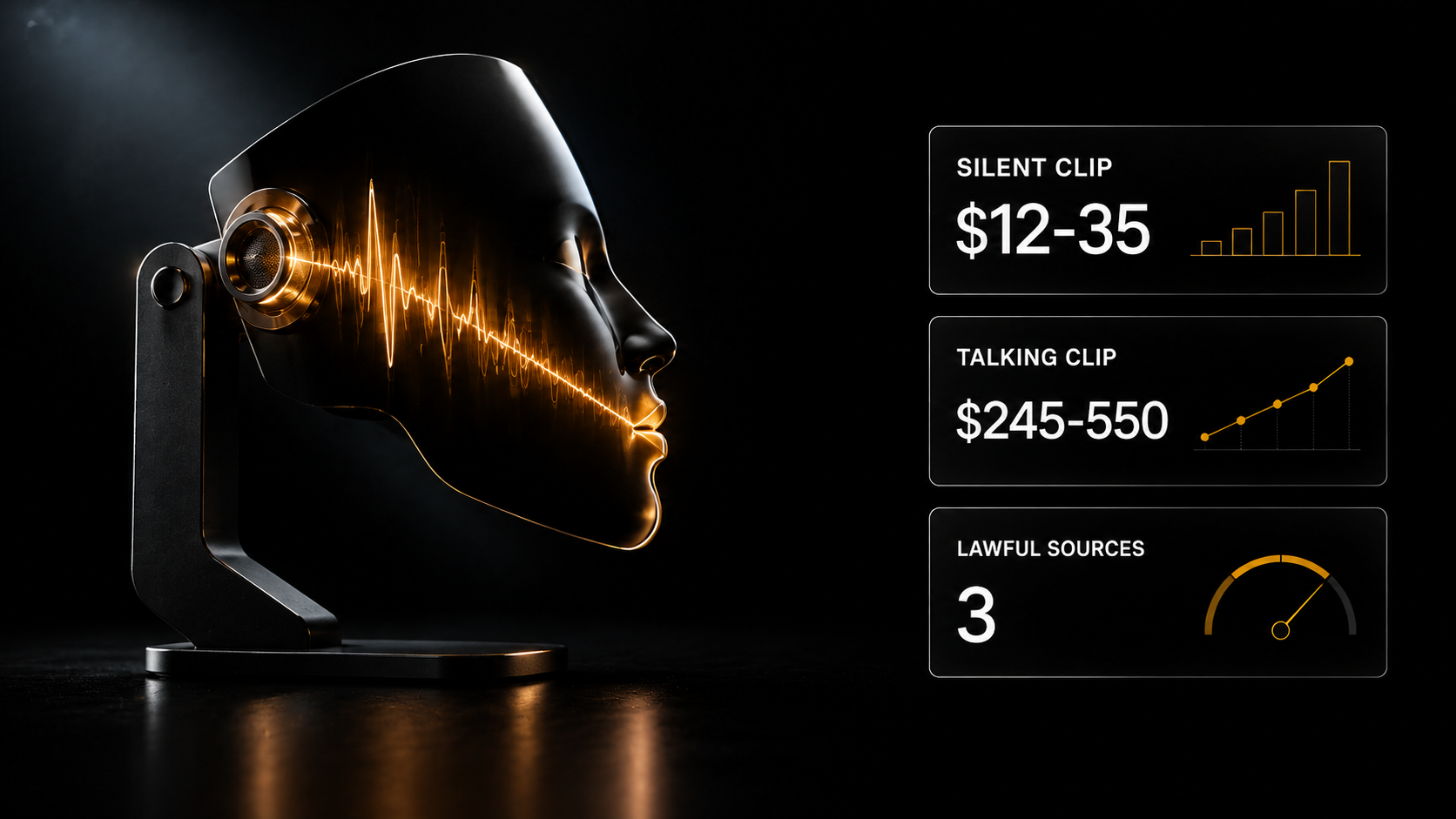
A silent picture and a talking frame are different categories of work: the first costs tens of dollars, the second hundreds. Below: what is needed as input, where the technology fails on long speech and emotion, and three legal sources of a face for commercial work.
A silent picture and a talking frame are different categories of work: the first costs tens of dollars, the second hundreds. Below: what is needed as input, where the technology fails on long speech and emotion, and three legal sources of a face for commercial work.
A silent character is half the job
You have learned to generate people. The frame is handsome, the face holds, the light is alive.
And the client needs a clip where the person speaks. A product review, an explanation of a service, a greeting on a landing page.
And then it turns out that a silent picture and a talking frame are different categories of work. The first costs tens of dollars, the second hundreds.
Let us go through how it works, where the boundary is and what is needed as input.
What lip sync is, in plain words
Synchronising lips with a soundtrack. You supply an image or video of a person and an audio track, and the model makes the character speak that text with the lips matching the sound.
The key point: this is not generating video from nothing. The frame already exists. The model adds mouth movement and expression to it for a specific piece of speech.
Hence the main consequence: the quality of the result runs into the quality of the source. A bad frame will not improve by talking.
What lip sync needs as input
Three things, each affecting the result more than the choice of model.
1. A frame with a face
What is needed: the face large and complete in frame, front-on or slightly turned, the mouth fully visible with nothing covering it.
What breaks the result: a strong turn of the head, a hand near the face, large glasses with glare, a beard hiding the lip line, a face too small in frame.
The check is simple: if you yourself struggle to see the lips in the source, the model will not manage either.
2. The audio track
What is needed: clean speech with no background noise, an even pace, clear articulation.
What breaks it: music in the background, room echo, speech that is too fast, overlaid voices.
The track can be recorded yourself, taken from existing narration or generated — Gen AI has narration and voice cloning.
3. Matching length
The speech and the frame must match in duration. Thirty seconds of audio on a five-second clip means either trimming or extending, and both have to be planned for in advance.
Where the technology fails
Honestly, because it determines what you can take on.
Long speech. The longer the fragment, the more noticeably desynchronisation and monotonous expression accumulate. Short lines work more reliably than long monologues.
Emotion. The model hits the sound but not always the intonation. Anger, irony, doubt read weakly — the face stays even whatever the content of the speech.
Profile and movement. The more the head is turned or moving, the worse the result.
Fine expression. A living person moves his eyebrows while talking, narrows his eyes, nods. A synthetic one mostly moves his mouth. That is what gives the result away more often than the synchronisation itself.
What follows practically: lip sync is good for short lines in close-up. For a three-minute monologue with emotion, not yet.
How this assembles into a chain
A single generation is one frame. A working process looks different.
The full chain: text → narration → a frame with the character → lip synchronisation → assembly with sound → the finished clip.
Each step separately means download-upload-download. To avoid assembling this by hand, give the task to Cerebrum: you describe the clip in plain words, the right Gen AI models are picked automatically, you pay from the balance on usage, and the price is visible before launch. The AI SKILLS connector for Claude (Full plan) does the same: you describe the task in Claude, and it generates the frames, video and voice with Gen AI models and assembles the clip.
Why a talking frame costs more
Compare with the market. By my scrape of 5 986 jobs over four months:
- An image per piece — $12–35
- A short clip — $18–45
- Turnkey AI video — $245–550
- Up to $610 for a finished clip on a piecework basis
The gap between a clip and "turnkey" is more than tenfold, and it is not about generation quality. In the second case what is sold is the whole result: script, narration, synchronisation, assembly, format for the platform.
A talking character is what moves you from the first line to the fourth. Not because it is technically harder but because it closes the client's task: he needs not a frame but a clip he can put into an advertising campaign.
Separately on the largest area of demand: the "AI creators" category appears in 86% of jobs in the feed, and within it clips with a person on camera are the most frequent request. That is exactly where a talking character is needed.
The cost of a talking clip
Generation is paid from the wallet on usage, the price is visible before you press, money is returned on a failure.
The order of magnitude: lip sync $0.12–1.50 per generation depending on the model, narration and music $0.12–1.80, animating a frame from $0.17.
That is, the cost of a talking clip is measured in single dollars against a fee in tens and hundreds. The main thing is to build it into the quote from the start.
Rights to a face: more important than the technology
One question that determines whether such work can be delivered to a client at all.
Somebody else's face cannot be used. Not a celebrity, not a stock person, not a photograph from the internet. That is not about quality but about the client receiving a complaint and you receiving a reputation.
Three legal sources:
Your own face. A selfie, and you are the advertisement's character.
A trained character. A consistent character with an unchanging appearance, stored in your profile and inserted into any generation.
Ready avatars from the gallery — ten characters for different roles. All generated by us; they are not stock people and not somebody else's faces, so no rights questions arise.
The last point is decisive for commercial work: you can hand a client a clip and not think about whose face is in it.
What the platform offers for lip sync
Gen AI — Lip Sync 13 models, photo animation 84 models, music and sound 19, voice cloning. All in one section, paid on usage.
Cerebrum — if you do not want to assemble a chain: you describe the offer and the task, attach a link to the product photo and get a vertical clip with sound. The right Gen AI models are picked automatically, and you pay from the balance on usage.
Video model express courses — “Video neural networks 2.0” and “Google Veo 3” — Plus plan, $9 one-off or 1 000 experience points. Not included in the three free days of Basic.
Registration is free and opens three days of Basic — the "Creative" category assistants, including the animation and video editing experts, and an encyclopaedia of 198 services.
Where to start today
One action. Take your own selfie, record fifteen seconds of clean speech on your phone and run it through lip sync.
Fifteen seconds is not an arbitrary length: at that length the technology works confidently, and you will see the real quality straight away rather than a perfect demonstration.
If the result will do, you have acquired a category of work worth an order of magnitude more than static images.
Where to get the voice and how to assemble the whole thing
Lip synchronisation is the second to last step. Sound is needed before it, assembly after.
In Gen AI the Lip Sync mode has 13 models, generation costing $0.12–1.50.
Voice. In the ready n8n template “Daily short video generation from a spreadsheet” the narration is done by ElevenLabs — clear diction from text. That also solves the problem of long lines: no live recording is needed.
Assembly. In the same template Creatomate joins the footage and sound into one clip. The template is advanced: Full, or a one-time $9, or 1000 XP.
The complete ready solution
Ready n8n templates with a talking avatar: “Video review of a web page with an AI avatar” turns a page from a link into a short clip, and “News videos with a HeyGen AI avatar” turns fresh news into a video with a talking avatar. For marketers, teachers and personal brand authors who need regular video with no crew and no studio lighting.
Both templates are advanced: Full, or a one-time $9, or 1000 XP.
Lip sync as a platform mode
Gen AI, the "Lip Sync" mode — 13 models, from $0.12 to $1.50 per generation. A character in a photo or a video starts speaking the text you want. Wallet payment, the price visible before launch.
Cerebrum — the same tasks in words: animate a photo, make a persona speak (four frames to choose from, then narration and lip sync), transfer movement from a donor clip. The right Gen AI models are picked automatically, you pay from the balance on usage, and the price is visible before launch.
Voice. In Gen AI — MiniMax and Suno voice clones, dialogue text-to-speech for up to four speakers with different pace, accent and character.
The models covered — the express course “Video neural networks 2.0 — East versus West” (Kling 3.0 and Seedance 2.0), $9, Plus plan and above: working with start and end frames for seamless joins, and Multi-shot for multi-frame scenes.
Assistants, Basic plan: Kling 3.0 Master-Mind, Seedance 2.0 prompts, Video editing expert.
Skills for a talking head
All six are advanced skills (Creator+, or a one-time $9, or 1000 XP); the cards and descriptions are open to everyone.
- Lip sync and talking video from a photo — synchronising lips, head movement and expression with a track. Two modes: from one photo, and re-voicing an existing video. The streaming mode in this skill removes the length limit — the very thing long monologues usually break on (with the Lip Sync models in Gen AI discussed above, a three-minute monologue is still unreliable)
- Lip sync: modes and settings — the same mechanics in more detail: the strength of the audio binding, resolution, built-in narration from text instead of a ready file, dialogue for two voices
- Talking avatar production — on the requirements for the source portrait and setting the tone of speech. Most failures begin here rather than at generation
- Avatars with lip sync and narration — a second implementation focused on multi-character scenes and gestures
- A podcast with talking avatars — if there are two people in frame: characters, narration of each line, joining. Clips are generated in turn rather than all at once
- A selling avatar for video advertising — a ready storyboard of five scenes of five seconds each with lighting parameters and synchronisation. A model of what a properly worked brief for a talking clip looks like
A caveat that saves a day. The first two require a graphics card with 16 gigabytes of memory and around thirty gigabytes of disk for the models. If you do not have that hardware, look at the third and fourth — they work through cloud calls.
What to read next
Why an AI character looks plastic — what to fix in the frame before animating it.
A voice clone instead of a narrator — the other half of a talking clip.
A clip from a product photo — eight ready formats.
AI video generation — a full breakdown of models and prompts.