AI video generation in 2026: how it works, the models, and how to write a prompt
AI video generation is creating a clip with a model from a text description or from a finished frame.
AI video generation is creating a clip with a model from a text description or from a finished frame.
In 2026 this is one of the most sought-after scenarios: models have learned to hold the same character across tens of seconds, accept dozens of reference images and assemble several scenes in sequence.
Below: how the two main approaches differ, how to write a description that produces the clip you want, which models are strong at present, how to keep a character consistent from frame to frame, what people are paid for this work and how to assemble a clip on the platform.
The guide is live: models ship often and this piece changes with them.
The short version
Two approaches: from text and from an image. The first is for when the scene does not exist yet. The second is for when you have an exact frame that needs animating with its details preserved.
A prompt is a brief for a camera operator, not a wish. Subject, environment, action over time, camera movement, light, style.
The main affliction is a character "drifting" between frames. Solved with reference images, frame-to-frame generation, or a fixed persona.
Generation is the smaller part of the work. Most of the time goes on the script and the assembly. That is what the difference in pay is for.
The pay gap is tenfold: a short clip is $18–45, a turnkey video $245–550.
Always start with a draft. A short clip at low quality shows whether you described the right scene, before the expensive final run.
Part 1. Two ways to make a video
From text. You describe the scene in words and the model creates a clip from nothing. Convenient when the scene does not exist and has to be invented.
From an image. You supply a finished picture and the model adds movement to it. Needed when you have an exact frame — a product photograph, a poster, a character — and it has to be set in motion with the details preserved.
The rule that saves the most runs. The more precisely you picture the scene you need, the less sense it makes to produce it from text. Words describe a scene approximately: the model fills in the rest its own way each time, and getting to a specific frame is only possible by trial.
So the working order is usually the opposite of what feels natural: first get the frame you need as an image, then animate it. A frame is corrected cheaply and predictably; video is not. Text-to-video makes sense for things where movement and mood matter rather than precision of detail.
Strong systems support both modes and the options in between: generation from a first and last frame, extending a clip, editing individual scenes.
Music and sound generation for video sits alongside and usually runs through the same pipeline.
Everything further in this article is the general mechanics, the same for any model. Techniques for specific models — which phrasings work, where a model breaks, what to substitute for a frame that failed — are covered in the “Photo and Video” course and in the express courses on Midjourney, Nano Banana, Veo 3, Kling and Seedance on the Plus plan.
The three parameters quality is described by
Length of an unbroken clip. How many seconds the model sustains without a cut.
Consistency of character and scene. The ability to hold the same appearance, style and composition through a clip rather than reinventing them every second.
This is what separates a usable result from a beautiful but useless montage.
How many reference images it accepts. The images you use to set the required look. The more you can supply, the more accurately the model holds a specific product, face or style.
Part 2. Which models are strong right now
The bar rises almost monthly, so this is a snapshot rather than a permanent picture.
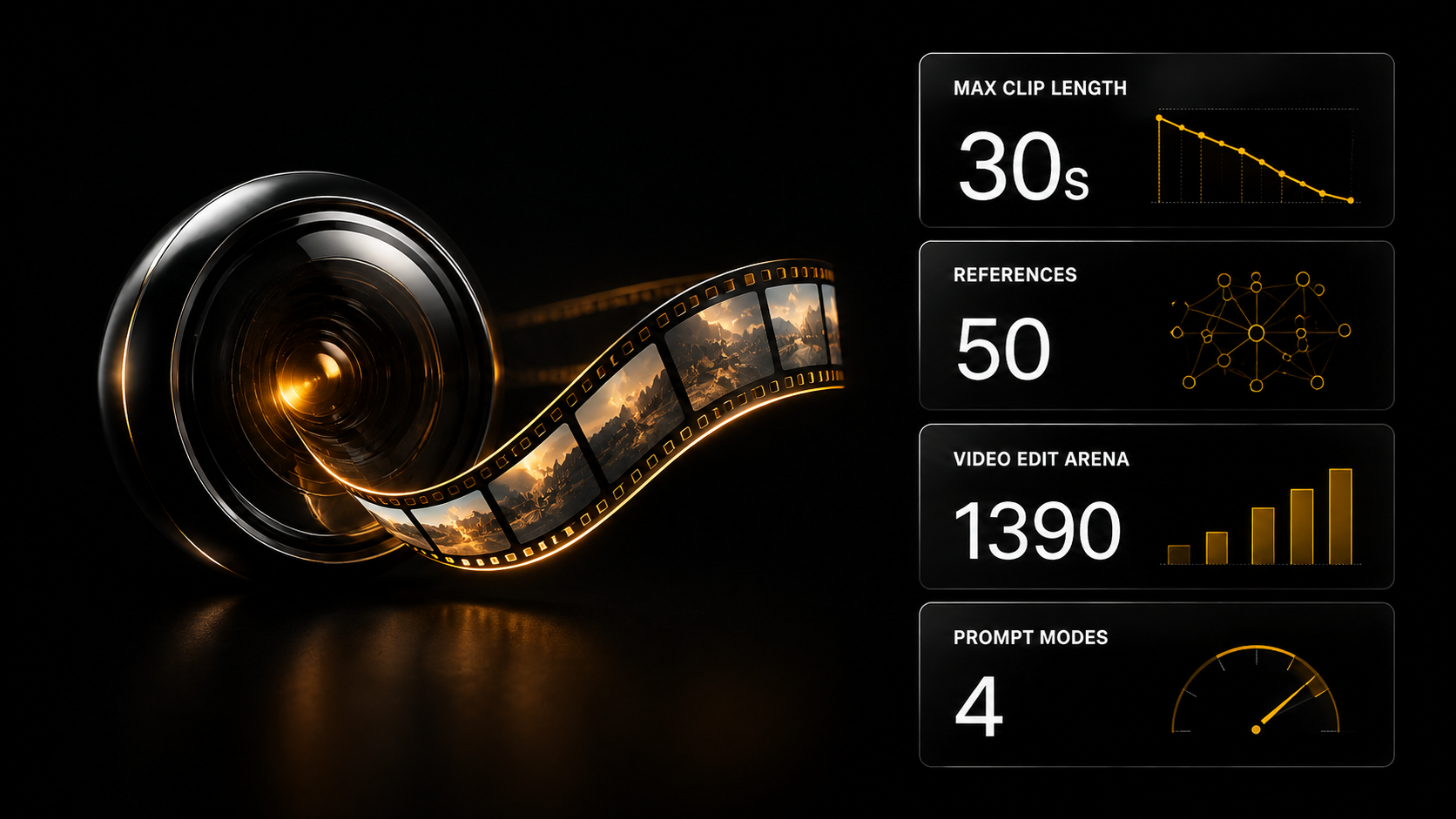
MiniMax H3 — an open model that topped the independent Video Arena among open models by around 280 points, and in image-to-video mode came in practically first in the overall standings. A related model later topped Video Edit Arena across all entrants with a score of 1 390.
Seedance 2.5 from ByteDance gained thirty-second clips without cuts, three-minute videos with a consistent character, editing of individual frames and up to 50 reference images. The testers' practical caveat: 720p for now.
Music3 from MiniMax — open weights for a compact model that turns a description and lyrics into a finished track on ordinary hardware. Convenient for scoring clips.
The full and always current picture of releases is kept in the daily digests.
Part 3. How to write a description that produces what you want
A good description says not only "what" but "how it is shot".
The model does not guess directorial decisions — it follows what you wrote. So a description is built as a brief for a camera operator:
- Subject — who or what is in the frame
- Environment — where this takes place
- Action over time — what changes by the end of the clip
- Camera — shot type and movement
- Light — source and time of day
- Style — how it looks
The more specifically camera movement and the change of action are set out second by second, the more predictable the result. A vague "a nice video about a city" gets interpreted the model's own way.
First and last frame
A powerful control technique: set out where the clip begins and where it arrives. The model builds the movement between them rather than inventing an arbitrary trajectory.
In practice it is convenient to supply an exact first frame and describe in words what should change by the end.
You do not have to write the description yourself
The six points above are what has to end up in the description. Typing it out by hand is not obligatory.
The ready assistants section has a "Creative" category built for exactly this: you explain what you need in ordinary words — a voice message will do — and the assistant turns it into precise technical text for a specific model.
The assistants there differ by step: "Art director" comes up with the idea and breaks it into frames, "Nano Banana prompts" writes the description for an image, "Seedance prompts" for video from a finished frame.
What this looks like on a real task is in "A digital avatar: content without filming": not a single prompt there is written by hand, the task is explained in one sentence each time, and the technical text is composed by an assistant.
Plus the prompt generator: it works through an "art director → animator → engineer" method, takes apart the frame you supply and produces a structured description for the task.
Three mistakes that stop a clip working
A vague description. You set neither the scene, nor the camera movement, nor the action — so the model filled the gaps itself. Cured by the six-point brief above.
Too many events in a short clip. In five to ten seconds a model cannot play out three scene changes, and the result falls apart. Break the idea into separate clips and edit them together.
Ignoring consistency. The character has to be the same, and you supplied neither reference images nor a fixed persona — so the model reinvents him in every frame.
The technique against all three: start with a draft and read the result critically. Whatever the model misunderstood is what you clarify.
Part 4. How to keep a character and a style consistent
The main affliction of generative video. Three working approaches.
Reference images. Give the model several reference pictures of the required look so it holds the appearance. For a one-off scene one or two are enough; for a recognisable product in an advert, several angles.
Frame-to-frame generation. The first and last frames set the boundaries within which the model builds the movement.
A fixed persona — for talking characters. If you need the same person across a series of clips, the appearance and the voice are fixed in advance: a model trained on the face and a voice clone. From then on the persona simply "plays" a new script.
You train your own assets — a character and a voice — in Gen AI, and you can assemble a clip from them in Cerebrum: describe the task in ordinary words and the right models are picked automatically. The character stays recognisable from video to video.
A practical guide: start with the minimum number of references on a draft and add more if the model drifts on the feature that matters.
Part 5. Where a good source frame comes from
The section people skip, and it determines the result more than the choice of video model.
In image-to-video the model does not invent the scene — it animates what you gave it. A poor source will not become a good clip: if the product is shot badly, the light is flat and the composition accidental, movement only emphasises it.
Hence the rule: in the "frame → video" pairing, the frame decides more.
Two different tools for two different jobs
They get confused constantly, and people reach for the wrong one because of it.
Creating a frame from nothing. The scene does not exist and has to be invented: a concept, an atmospheric shot, a stylised visual. Midjourney works here — the strongest model for image generation.
It has one problem and it is technical: a high entry threshold. The service requires a subscription and is driven through its own commands rather than familiar fields.
The express course “Midjourney from scratch to control” takes you through all of that and straight to the level of control. What you end up with: a working account, an understanding of the commands and the skill of getting an image in the style you want with a controlled composition, rather than a set of attractive accidents.
$9, Plus plan.
Changing an existing frame. You have a product photograph, a real interior, a specific person — and something has to be removed, the background changed, a detail added, an object placed in a different scene. Midjourney does not work that way: it creates new things rather than editing what exists.
Different models are needed here — ones that understand the context of a picture and edit it precisely.
And the second job in the same category is holding one character across a series of frames. For an advertising campaign, a line of product cards or a blog with a consistent face this is not optional but a condition: one beautiful frame is no use to anyone, a series is.
The express course “ChatGPT Images & Nano Banana” covers generation and editing inside chat models: from a first prompt to branded content with one character across a series of frames.
$9, Plus plan.
How this fits into work on a clip
The order that saves the most.
Step 1. Assemble or refine the source frame. Check it on a small screen — that is how the viewer will see it.
Step 2. Only then send it for animation. Regenerating a picture is cheaper than regenerating video: an image costs from $0.12 while video runs from $0.22 up to $11.95 depending on the model and the length.
Step 3. If you need a series, fix the character first, then produce all the frames, and only then animate. Otherwise on the third clip you discover the face has drifted and everything has to be redone.
Both courses are included in the Plus plan. Neither is part of the three free Basic days — they can be obtained by a one-off $9 purchase, the Plus plan, or 1 000 experience points.
Part 6. The parameters that determine both the look and the price
Four of them. Worth knowing before the launch rather than after the bill.
Resolution. Sets the level of detail. Many models start at 720p, with higher resolution obtained through a separate upscaling step.
Aspect ratio. For the platform: 16:9 for horizontal clips, 9:16 for stories and short video, 1:1 for the feed.
Duration. The key constraint. The current generation has pushed unbroken generation to tens of seconds, but the longer the clip, the more expensive it is and the higher the risk the character drifts.
Frame rate. Affects the smoothness of movement.
The rule that saves the most
Draft first, final second.
Assemble the clip at low quality and short duration, confirm the description produces the scene you want, and only then generate the final at full resolution and length.
That saves both time and money: the expensive final run happens once against a verified description, rather than cycling through variants at maximum settings.
On the platform the estimate for every run is visible before launch, so a draft cycle does not turn into an unexpected bill.
Part 7. Sound: music, voice, lip sync
A finished clip almost always needs sound, and audio generation runs through the same pipeline.
Music. Open models have appeared: MiniMax released the weights of Music3, which turns a description and lyrics into a finished track on ordinary hardware.
Speech. Synthesis and voice clones: a short reference recording plus text gives a recognisable voice. Dialogue synthesis models can carry the lines of several speakers.
Lip sync. For talking characters, so the face matches the sound.
On the platform a musical description is assembled in the prompt generator, while voice-over and lip sync are run as separate generations in Gen AI, with an explicit estimate at each step.
Part 8. Where the limits of applicability are
Stated honestly, because what you take on depends on it.
Works reliably: short advertising clips, inserts and cutaways, visuals for social media, backgrounds and atmospheric shots, product clips without complex manipulation of the object, animation of static images.
Works with caveats: scenes with people where facial expression matters; long unbroken shots; exact correspondence to a reference.
Does not work: anything requiring a real product in real conditions, documentary accuracy, or legally significant footage.
And separately — text in the frame. A weak point of generative models generally; a caption is usually added afterwards in an ordinary editor.
Part 9. What this covers
Four large classes of task.
Advertising and product clips. Animating an exact product frame with the details preserved; dozens of reference images hold the required look.
Short formats for social media. Vertical stories and short video: speed and volume matter, so people take fast models and the vertical format.
Educational and explanatory content. A voiceover plus scenes to a script, where consistency matters more than special effects.
Content with a permanent presenter. A series of clips with one recognisable character on a fixed persona.
Localisation deserves separate mention. One clip for different markets — with re-recorded audio and lip sync to the new speech. This is the scenario where generative video saves the most: instead of reshooting for each language you change the voice track and keep the picture.
Scheduled publishing is conveniently automated with a template from the automations section, for example “Scheduled video cross-posting to social media” (Creator and above).
Part 10. What people are paid for this
The section usually missing from video model overviews.
The market price list
From the Parselona feed — 5 986 jobs over 4 months across seven categories:
| Work | Range |
|---|---|
| Editing supplied material | $12–35 |
| A short clip | $18–45 |
| A 2–3 minute animation | $25–110 |
| Turnkey AI video | $245–550 |
The median one-off job across the whole scrape is around $60. A separate line: up to $610 for a finished clip on a per-piece basis — the top of the market for solo work.
A note on reliability: an explicit budget appears in 17% of listings, and by individual type of work there are between twenty and three hundred observations with a figure. The overall median is solid; the per-line breakdown is a guide.
What these figures show
The gap between "a short clip" and "turnkey" is more than tenfold. And it is not about the quality of the generation.
In the second case what is sold is the whole result: script, storyboard, assembly, sound, format for the platform, an agreed number of revisions. Generation takes up the smaller part of the time.
Someone who can only generate stays on the bottom line regardless of how beautiful their frames are.
Where the demand is greatest
Video and clips are the main demand in the feed. The "AI creators" category appears in 86% of jobs, video editing in 16%. This is the most common work and the most accessible by entry threshold: a clip "as shot by an ordinary customer", with a character holding the product and speaking to camera.
Your own cost
Generation is charged for what is produced, the cost is visible before you press the button, and money for anything not delivered is returned to your balance.
The order of magnitude: video generation from $0.22, animating a frame from $0.17, lip sync $0.12–1.50, music and sound $0.12–1.80.
The rule: the cost of generations goes into the client's price the same way paper goes into a printer's. A contractor paying out of pocket and not building it into the quote is working at a loss without noticing.
And separately on revisions. For generative video a revision often means regeneration, which means a new cost. Two rounds in the quote is normal; "we revise until you like it" is not.
What to ask the client before agreeing
Three questions that save rounds of revisions.
Where the clip is going. The platform sets the format, the duration and the sound requirements.
Whether there are hard requirements on likeness. If a specific product, interior or recognisable person is needed, generation is not suitable here, and it is fairer to say so at once.
How many rounds of revisions are included in the price. Agreed before starting.
A salary as a separate format
From the same scrape, some clients hire not for a task but for a month: the median monthly payment is $723, the lower quartile of offers starts at $361, and the upper quartile is above $1 145.
For someone able to close the full cycle including voice work, this is a steady entry point: one company, a clear volume, predictable money — and no hunting for jobs every week.
Part 11. How to assemble a clip on the platform
Three routes depending on the task.
A one-off generation — Gen AI. 338 models in one place: images, video, sound, 3D. Choose a model, set the description and the parameters, and the estimate is visible before launch. The route for a quick "I need a clip for this post".
If the result is "not right" — the prompt generator. Most often the description is at fault. It assembles a structured description for a video model, takes apart the first and last frames you supply and produces finished text. You pay for actual usage, and the price is visible in advance.
A series of clips with one character — Cerebrum. You describe the task in ordinary words, the right Gen AI models are picked automatically, and the price is visible before launch and charged from your balance on usage. The trained face and voice of the character are substituted into every generation.
A step-by-step example
Step 1. The idea. What kind of clip, for which platform, in what format.
Step 2. The description. Assembled in the prompt generator: subject, scene, action over time, camera movement, light, style. If you have an exact frame, attach it as the first one and describe the changes to the finish in words.
Step 3. The draft. A short clip at low quality. Check that the scene and the movement are the ones you wanted.
Step 4. The final. From the verified description — at full resolution and full length.
Step 5. Sound. Music or voiceover.
If the character has to recur, the order is different: the persona is built first, then clips with it are generated step by step.
The estimate for each step is visible before launch and a failed step is refunded to your balance — so a draft cycle does not turn into an unexpected bill.
Part 12. Rights and provenance
The more realistic generative video becomes, the more the question of provenance matters — and in 2026 it moved out of theory into practice.
The major labs signed an industry code on AI content transparency, and models began embedding invisible marks in the output and providing tools to detect them.
For a creator that means two things.
Marking AI provenance where platforms and the law require it is the norm, not an option. Concealing it is risky: technically it gets detected anyway.
Check the specific model's terms for commercial use of the output. They differ, and this needs establishing before production.
Other people's faces and voices
A separate area of attention, and here the rules are firm.
Making a talking persona based on a real person without their consent is not allowed. Not a celebrity, not a stock person, not a photograph from the internet.
Taking someone else's clip apart serves to analyse structure — the hook, the frame of the script — and not to copy the author's face and voice.
Three lawful sources: your own face, your trained character, a ready avatar with rights cleared.
For commercial work this is not a detail but a condition: you hand the clip to a client and do not have to wonder whose face is in the frame.
Part 13. What to open for your own task
Gen AI. 338 models: video generation, animating a frame, lip sync, music and sound, upscaling. Pay for what you use, price visible before you press. Plus training your own assets — character, voice, style.
Four courses and the order to take them in
All four are on the Plus plan at $9 each. None is part of the three free Basic days: they can be obtained by a one-off purchase, the Plus plan, or 1 000 experience points.
The frame first, the movement second — and that is the order they come in.
1. “Midjourney from scratch to control”. Image generation from nothing: getting past the technical barriers at the entrance, the interface, the commands, working with your own references. The result is a working account and the skill of getting an image in the style you want with a controlled composition.
Needed if you invent your source frames rather than photograph them.
2. “ChatGPT Images & Nano Banana”. Editing existing images and — most of all — one character across a series of frames. Remove something, change the background, add a detail, place a product in a different scene.
Needed if you work with real product photographs or assemble a series rather than a single frame.
3. “Google Veo 3 — making commercial video”. The foundation for video: 1080p, synchronised sound, cinematic control. The result is finished clips with sound, a consistent character and a controlled camera.
This is where everyone moving from pictures to video begins.
4. “Video models 2.0 — East versus West”. The advanced level for those who have done the foundation: the Kling 3.0 and Seedance 2.0 models. Visual stability over long stretches, clips up to thirty seconds, multi-shot scenes with sound and a consistent character, editing of already finished video.
Needed when you have hit a specific limitation.
Checklist: how to assess a model for a task
- Input type. Do you need text-to-video (the scene does not exist yet) or image-to-video (you have an exact frame)?
- Duration and consistency. Is the unbroken duration enough, and does the model hold the character across the whole length?
- Reference images. How many does it accept — enough to pin down the product or style you need?
- Resolution and price. At what quality does it deliver the final, and what will the run cost? Is the estimate visible before launch?
- Sound. Do you need music, voice and sync — and does the chosen pipeline cover them?
These five points rule out models that look good in a demo but do not suit your task.
Release chronicle
Video models update almost monthly: over the summer of 2026 MiniMax H3, Seedance 2.5 and the open Music3 all arrived, and the rankings reshuffle as you watch.
Releases and practical measurements are tracked in the daily AI digests. Open video tools are in the Open Source section, and a comparison of open models generally is in the Best open LLMs 2026 hub.
FAQ
How does text-to-video differ from image-to-video?
Text-to-video creates a clip from nothing according to a description; image-to-video animates a finished picture.
The first is used when the scene does not exist. The second when you have an exact frame — a product, a poster, a character — that has to be set in motion with its details preserved. Strong systems support both modes, and also generation between a first and last frame, which gives more control.
What does it cost to generate a video?
You pay for what is used, and the estimate is visible before launch — no buying credits blind.
The cost depends on the model, the duration and the resolution, so it is cheaper to start at draft quality and short length and generate the final from a verified description. A draft shows that the description produces the right scene before the expensive run.
The order of magnitude: video generation from $0.22, animating a frame from $0.17.
How do I stop the character changing between clips?
You need a fixed persona: a trained face and a voice clone substituted into every clip. Then the character stays recognisable and you only change the script.
On the platform, the trained face and voice are made in Gen AI and clips with them are assembled in Cerebrum. For one-off clips without a recurring character, reference images and generation from a first frame are enough.
Does generated video need labelling?
Increasingly, yes. The major labs signed a transparency code, models embed invisible marks and provide tools to detect them.
Labelling where platforms and the law require it is the norm, not an option; concealing it is risky. Check the specific model's terms for commercial use separately, and never build a talking persona from the face or voice of a real person without consent.
How many reference images are needed?
The rule is simple: the more strictly a specific product, face or style has to be held, the more references.
For a one-off scene one or two, or an exact first frame, is enough. For a recognisable product in an advert, several angles. The current generation accepts up to dozens.
If the character has to recur from clip to clip, references are no longer enough — you need a fixed persona.
How much is actually earned from this?
From the Parselona feed — 5 986 jobs over 4 months: a short clip $18–45, turnkey AI video $245–550, up to $610 per clip on a per-piece basis. The median one-off job is around $60.
The gap between the first and second line is more than tenfold, and it is not about the quality of the generation but about what is sold: a frame, or the whole result with a script, assembly, sound and an agreed number of revisions.
Plus a separate format — a salary: the median monthly payment is $723, ranging from $361 to $1 145.
Try it
Registration is free. Three days of the Basic plan switch on with one button, no card needed: 200+ AI assistants, the encyclopaedia of 198 services, the prompt texts, the skill files, five programme courses (including "Sales") and six Basic mini-courses. Generation is paid for separately, on usage.
One action right now. Open a job feed and find three listings for video. Look not at the price but at what is being asked for.
Usually it turns out that nobody wants cinema — they want fifteen seconds for a specific platform in a specific format, and that can be done today on a basic model.
What to take on the platform for this task
- Video from idea to edit — a free signature skill: from one phrase to an edited 15–60 s clip; it works in Cerebrum and through the AI SKILLS connector (Full plan), generations are paid from your balance
- UGC ad from a product photo — a free signature skill: a vertical “shot by an ordinary user” clip from a product photo; works in Cerebrum and through the AI SKILLS connector (Full)
- A video series with a consistent character — a free signature skill: three ways to keep the hero across scenes; works in Cerebrum and through the AI SKILLS connector (Full)
- B-roll cutaways for video — a timecoded cutaway plan and clips for a talking head
- Scheduled video cross-posting to social media — an n8n template that publishes a clip to Instagram, YouTube, TikTok and others; Creator and above
- Video editing expert and Prompt Architect Veo — assistants, from Basic
- AI Shorts Generator — Open Source: cuts long video into vertical clips; the repository link is from Creator
- Courses: “Photo and Video” and “Editing” — Plus plan
What to read next
AI video models in 2026 — what they can do and where the limits are.
Why an AI character looks plastic — five causes and how each is fixed.
Lip sync: making a character speak — what is needed as input and where the limits are.
A voice clone instead of a voice actor — the other half of a talking clip.
Rights to a face in advertising — three lawful sources and four lines for the contract.
What an AI blogger earns from — four income models and what produces them.
A clip from a product photo — eight ready formats.
Editing expert videos — the pacing rule and the first two seconds taken apart.
What a clip costs you — what a $45 job really costs to make.
The AI freelancer price list — what nine types of work pay.
Reels manager: working on a salary — the format between freelancing and employment.
Skills for Claude Code — the chains that assemble a clip.
Automation templates — putting production on a conveyor.
Hollywood for $0 — four movie effects built with these same models.